# ductor
**Repository Path**: ysl2/ductor
## Basic Information
- **Project Name**: ductor
- **Description**: No description available
- **Primary Language**: Unknown
- **License**: MIT
- **Default Branch**: main
- **Homepage**: None
- **GVP Project**: No
## Statistics
- **Stars**: 0
- **Forks**: 0
- **Created**: 2026-04-03
- **Last Updated**: 2026-04-09
## Categories & Tags
**Categories**: Uncategorized
**Tags**: None
## README

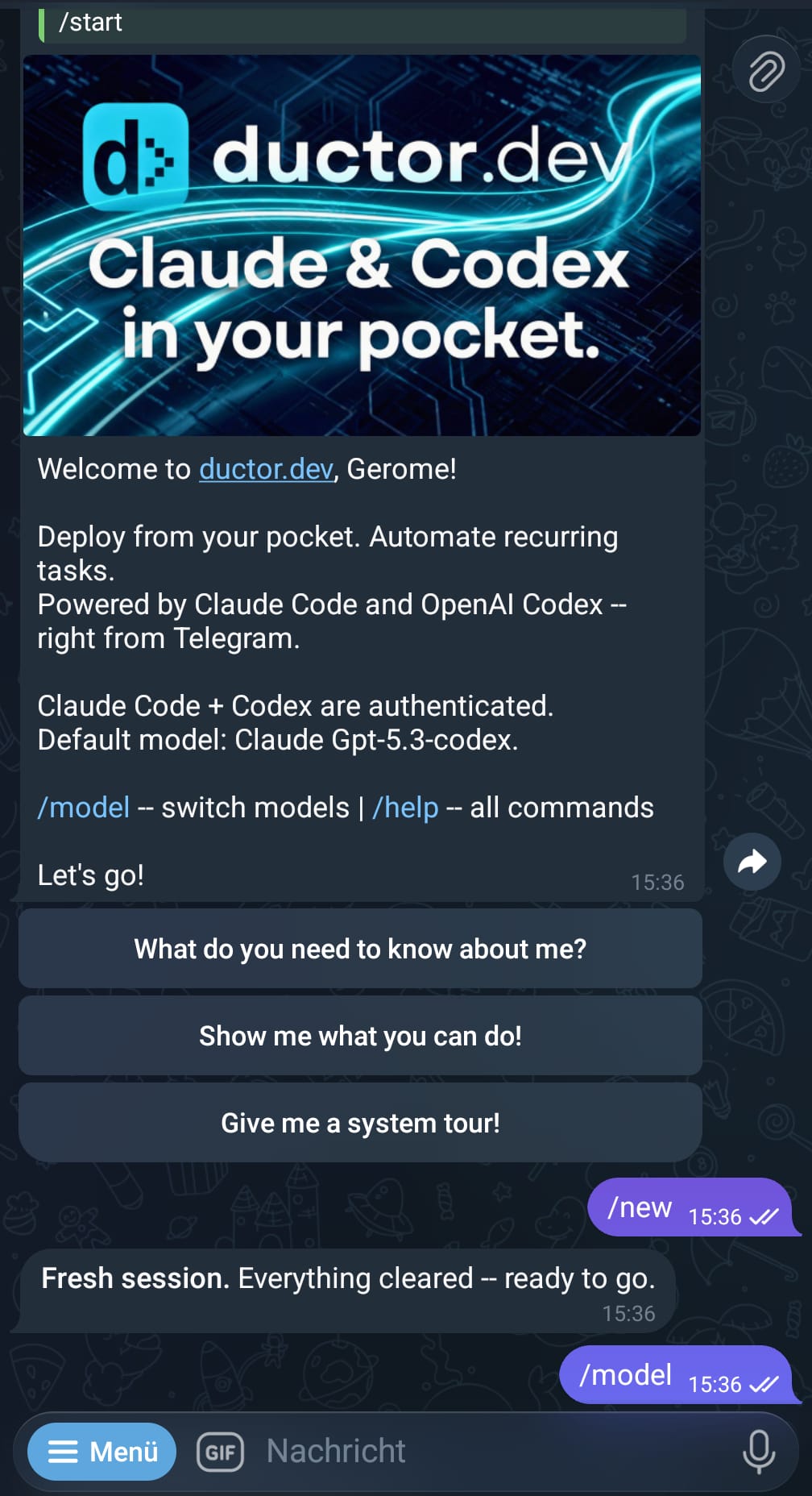
Claude Code, Codex CLI, and Gemini CLI as your coding assistant — on Telegram.
Uses only official CLIs. Nothing spoofed, nothing proxied. Matrix and more via plugin system.


Quick start ·
How chats work ·
Commands ·
Docs ·
Contributing
---
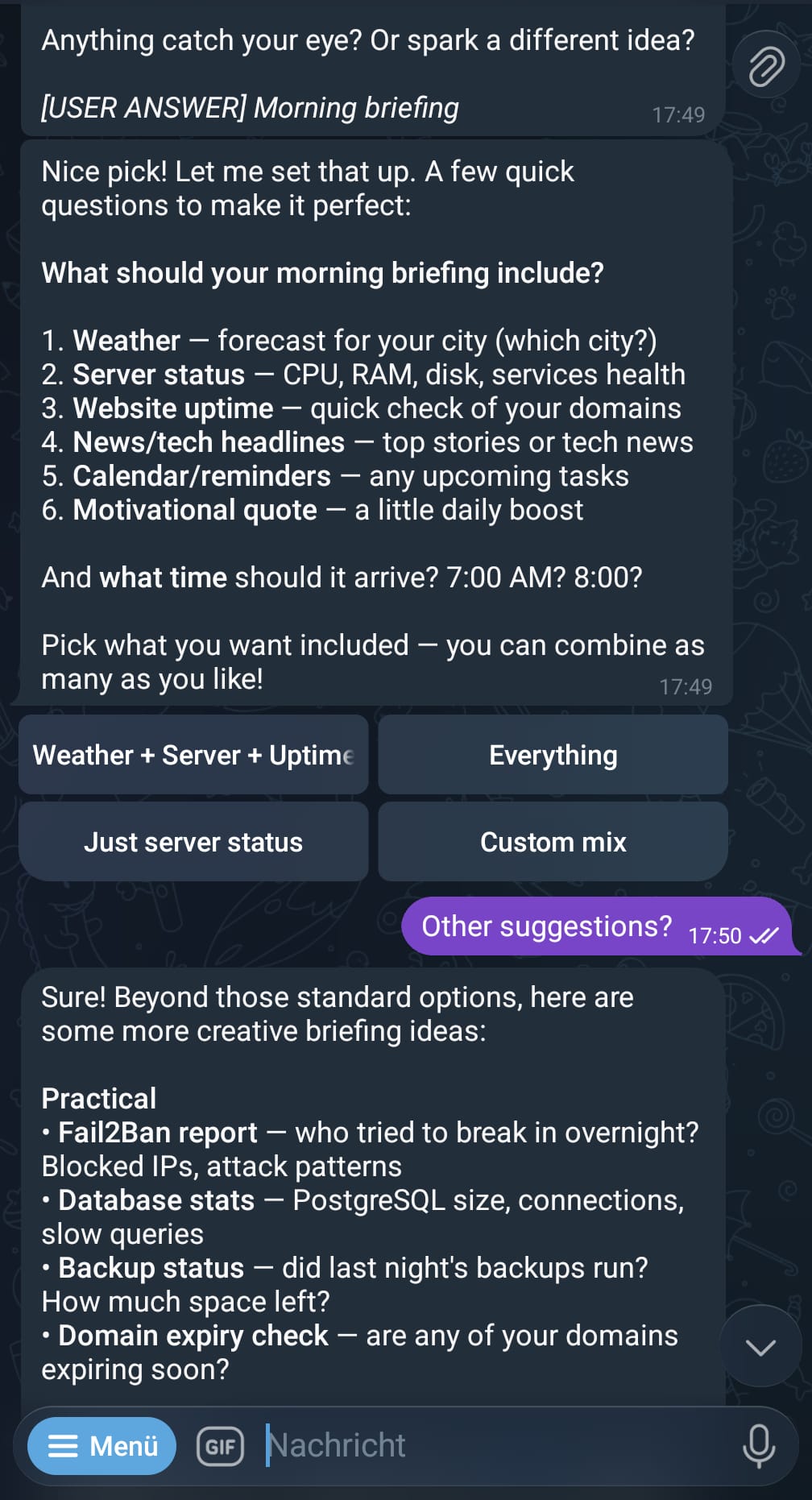
If you want to control Claude Code, Google's Gemini CLI, or OpenAI's Codex CLI via Telegram, build automations, or manage multiple agents easily — ductor is the right tool for you. Additional messengers (Matrix, and more to come) are supported via a modular plugin system.
ductor runs on your machine and sends simple console commands as if you were typing them yourself, so you can use your active subscriptions (Claude Max, etc.) directly. No API proxying, no SDK patching, no spoofed headers. Just the official CLIs, executed as subprocesses, with all state kept in plain JSON and Markdown under `~/.ductor/`.
## Quick start
```bash
pipx install ductor
ductor
```
Run from a local checkout instead:
```bash
git clone https://github.com/PleasePrompto/ductor.git
cd ductor
python -m venv .venv && source .venv/bin/activate
pip install -e ".[dev]"
ductor
```
The onboarding wizard handles CLI checks, transport setup (Telegram or Matrix), timezone, optional Docker, and optional background service install.
**Requirements:** Python 3.11+, at least one CLI installed (`claude`, `codex`, or `gemini`), and either:
- a Telegram Bot Token from [@BotFather](https://t.me/BotFather), or
- a Matrix account on a homeserver (homeserver URL, user ID, password/access token)
For Matrix support: `ductor install matrix` — see [Matrix setup guide](docs/matrix-setup.md).
Detailed setup: [`docs/installation.md`](docs/installation.md)
## How chats work
ductor gives you multiple ways to interact with your coding agents. Each level builds on the previous one.
### 1. Single chat (your main agent)
This is where everyone starts. You get a private 1:1 chat with your bot (Telegram or Matrix). Every message goes to the CLI you have active (`claude`, `codex`, or `gemini`), responses stream back in real time.
```text
You: "Explain the auth flow in this codebase"
Bot: [streams response from Claude Code]
You: /model
Bot: [interactive model/provider picker]
You: "Now refactor the parser"
Bot: [streams response, same session context]
```
This single chat is all you need. Everything else below is optional.
### 2. Groups with topics (multiple isolated chats)
**Telegram:** Create a group, enable topics (forum mode), and add your bot.
**Matrix:** Invite the bot to multiple rooms — each room is its own context.
Every topic (Telegram) or room (Matrix) becomes an isolated chat with its own CLI context.
```text
Group: "My Projects"
├── General ← own context (isolated from your single chat)
├── Topic: Auth ← own context
├── Topic: Frontend ← own context
├── Topic: Database ← own context
└── Topic: Refactor ← own context
```
That's 5 independent conversations from a single group. Your private single chat stays separate too — 6 total contexts, all running in parallel.
Each topic can use a different model. Run `/model` inside a topic to change just that topic's provider.
All chats share the same `~/.ductor/` workspace — same tools, same memory, same files. The only thing isolated is the conversation context.
> **Telegram note:** The Bot API has no method to list existing forum topics.
> ductor learns topic names from `forum_topic_created` and `forum_topic_edited`
> events — pre-existing topics show as "Topic #N" until renamed.
> This is a Telegram limitation, not a ductor limitation.
### 3. Named sessions (extra contexts within any chat)
Need to work on something unrelated without losing your current context? Start a named session. It runs inside the same chat but has its own CLI conversation.
```text
You: "Let's work on authentication" ← main context builds up
Bot: [responds about auth]
/session Fix the broken CSV export ← starts session "firmowl"
Bot: [works on CSV in separate context]
You: "Back to auth — add rate limiting" ← main context is still clean
Bot: [remembers exactly where you left off]
@firmowl Also add error handling ← follow-up to the session
```
Sessions work everywhere — in your single chat, in group topics, in sub-agent chats. Think of them as opening a second terminal window next to your current one.
### 4. Background tasks (async delegation)
Any chat can delegate long-running work to a background task. You keep chatting while the task runs autonomously. When it finishes, the result flows back into your conversation.
```text
You: "Research the top 5 competitors and write a summary"
Bot: → delegates to background task, you keep chatting
Bot: → task finishes, result appears in your chat
You: "Delegate this: generate reports for all Q4 metrics"
Bot: → explicitly delegated, runs in background
Bot: → task has a question? It asks the agent → agent asks you → you answer → task continues
```
Each task gets its own memory file (`TASKMEMORY.md`) and can be resumed with follow-ups.
### 5. Sub-agents (fully isolated second agent)
Sub-agents are completely separate bots — own chat, own workspace, own memory, own CLI auth, own config settings (heartbeat, timeouts, model defaults, etc.). Each sub-agent can use a different transport (e.g. main on Telegram, sub-agent on Matrix).
```bash
ductor agents add codex-agent # creates a new bot (needs its own BotFather token)
```
```text
Your main chat (Claude): "Explain the auth flow"
codex-agent chat (Codex): "Refactor the parser module"
```
Sub-agents live under `~/.ductor/agents//` with their own workspace, tools, and memory — fully isolated from the main agent.
You can delegate tasks between agents:
```text
Main chat: "Ask codex-agent to write tests for the API"
→ Claude sends the task to Codex
→ Codex works in its own workspace
→ Result flows back to your main chat
```
### Comparison
| | Single chat | Group topics | Named sessions | Background tasks | Sub-agents |
|---|---|---|---|---|---|
| **What it is** | Your main 1:1 chat | One topic = one chat | Extra context in any chat | "Do this while I keep working" | Separate bot, own everything |
| **Context** | One per provider | One per topic per provider | Own context per session | Own context, result flows back | Fully isolated |
| **Workspace** | `~/.ductor/` | Shared with main | Shared with parent chat | Shared with parent agent | Own under `~/.ductor/agents/` |
| **Config** | Main config | Shared with main | Shared with parent chat | Shared with parent agent | Own config (heartbeat, timeouts, model, ...) |
| **Setup** | Automatic | Create group + enable topics | `/session ` | Automatic or "delegate this" | Telegram: `ductor agents add`; Matrix: `agents.json` / tool scripts |
### How it all fits together
```text
~/.ductor/ ← shared workspace (tools, memory, files)
│
├── Single chat ← main agent, private 1:1
│ ├── main context
│ └── named sessions
│
├── Group: "My Projects" ← same agent, same workspace
│ ├── General (own context)
│ ├── Topic: Auth (own context, own model)
│ ├── Topic: Frontend (own context)
│ └── each topic can have named sessions too
│
└── agents/codex-agent/ ← sub-agent, fully isolated workspace
├── own single chat
├── own group support
├── own named sessions
└── own background tasks
```
## Features
- **Multi-transport** — run Telegram and Matrix simultaneously, or pick one
- **Multi-language** — UI in English, Deutsch, Nederlands, Français, Русский, Español, Português
- **Real-time streaming** — live message edits (Telegram) or segment-based output (Matrix)
- **Provider switching** — `/model` to change provider/model (never blocks, even during active processes)
- **Persistent memory** — plain Markdown files that survive across sessions
- **Cron jobs** — in-process scheduler with timezone support, per-job overrides, result routing to originating chat
- **Webhooks** — `wake` (inject into active chat) and `cron_task` (isolated task run) modes
- **Heartbeat** — proactive checks with per-target settings, group/topic support, chat validation
- **Image processing** — auto-resize and WebP conversion for incoming images (configurable)
- **Config hot-reload** — most settings update without restart (including language, scene, image)
- **Docker sandbox** — optional sidecar container with configurable host mounts
- **Service manager** — Linux (systemd), macOS (launchd), Windows (Task Scheduler)
- **Cross-tool skill sync** — shared skills across `~/.claude/`, `~/.codex/`, `~/.gemini/`
## Messenger support
Telegram is the primary transport — full feature set, battle-tested, zero extra dependencies.
| Messenger | Status | Streaming | Buttons | Install |
|---|---|---|---|---|
| **Telegram** | primary | Live message edits | Inline keyboards | `pip install ductor` |
| **Matrix** | supported | Segment-based (new messages) | Emoji reactions | `ductor install matrix` |
Both transports can run **in parallel** on the same agent:
```json
{"transport": "telegram"}
{"transport": "matrix"}
{"transports": ["telegram", "matrix"]}
```
### Plugin system for additional messengers
Each messenger is a self-contained module under `messenger//` implementing a
shared `BotProtocol`. The core (orchestrator, sessions, CLI, cron, etc.) is completely
transport-agnostic — it never knows which messenger delivered the message.
Adding a new messenger (Discord, Slack, Signal, ...) means implementing `BotProtocol`
in a new sub-package and registering it — the rest of ductor works without changes.
Guide: [`docs/modules/messenger.md`](docs/modules/messenger.md)
## Auth
### Telegram
ductor uses a dual-allowlist model. Every message must pass both checks.
| Chat type | Check |
|---|---|
| **Private** | `user_id ∈ allowed_user_ids` |
| **Group** | `group_id ∈ allowed_group_ids` AND `user_id ∈ allowed_user_ids` |
- **`allowed_user_ids`** — Telegram user IDs that may talk to the bot. At least one required.
- **`allowed_group_ids`** — Telegram group IDs where the bot may operate. Default `[]` = no groups.
- **`group_mention_only`** — When `true`, the bot only responds in groups when @mentioned or replied to.
- **`telegram_proxy`** — Optional proxy URL for Telegram Bot API requests, for example `http://127.0.0.1:7890` or `socks5://127.0.0.1:7890`.
The allowlist fields are **hot-reloadable** — edit `config.json` and changes take effect within seconds.
`telegram_proxy` requires a restart.
You can set `telegram_proxy` during `ductor onboarding`, or later with
`ductor proxy set ` and `ductor proxy reset`.
> **Privacy Mode:** Telegram bots have Privacy Mode enabled by default and only see `/commands` in groups. To let the bot see all messages, make it a **group admin** or disable Privacy Mode via BotFather (`/setprivacy` → Disable). If changed after joining, remove and re-add the bot.
**Group management:** When the bot is added to a group not in `allowed_group_ids`, it warns and auto-leaves. Use `/where` to see tracked groups and their IDs.
> **Tip — adding a group for the first time:**
> 1. Create a Telegram group, enable topics if you want isolated chats
> 2. Add the bot and make it **admin** (required for full message access)
> 3. Send a message mentioning `@your_bot` — the bot won't respond yet
> 4. In your private chat with the bot, run `/where` — you'll see the group listed under "Rejected" with its ID
> 5. Tell the bot: *"Add this as an allowed group in the config"* — it updates `config.json` for you
> 6. Run `/restart` — the bot now responds in the group
### Matrix
Matrix auth uses room and user allowlists in the `matrix` config block:
- **`allowed_rooms`** — Room IDs or aliases where the bot may operate.
- **`allowed_users`** — Matrix user IDs allowed to interact with the bot.
`group_mention_only` nuance on Matrix:
- In non-DM rooms, when `group_mention_only=true`, the bot requires @mention/reply and bypasses `allowed_users` checks for those group messages.
- Room-level filtering (`allowed_rooms`) still applies.
The bot logs in with password on first start, then persists `access_token` and `device_id` for subsequent runs. E2EE is supported via `matrix-nio[e2e]`.
## Language
ductor's UI (commands, status messages, onboarding) is available in multiple languages:
| Code | Language |
|---|---|
| `en` | English (default) |
| `de` | Deutsch |
| `nl` | Nederlands |
| `fr` | Français |
| `ru` | Русский |
| `es` | Español |
| `pt` | Português |
Set the language in `config.json`:
```json
{"language": "de"}
```
This is **hot-reloadable** — change the language without restarting the bot.
## Commands
| Command | Description |
|---|---|
| `/model` | Interactive model/provider selector |
| `/new` | Reset active provider session |
| `/stop` | Stop current message and discard queued messages |
| `/interrupt` | Interrupt current message, queued messages continue |
| `/stop_all` | Kill everything — all messages, sessions, tasks, all agents |
| `/status` | Session/provider/auth status |
| `/memory` | Show persistent memory |
| `/session ` | Start a named background session |
| `/sessions` | View/manage active sessions |
| `/tasks` | View/manage background tasks |
| `/cron` | Interactive cron management |
| `/showfiles` | Browse `~/.ductor/` |
| `/diagnose` | Runtime diagnostics |
| `/upgrade` | Check/apply updates |
| `/agents` | Multi-agent status |
| `/agent_commands` | Multi-agent command reference |
| `/where` | Show tracked chats/groups |
| `/leave ` | Manually leave a group |
| `/info` | Version + links |
## Common CLI commands
```bash
ductor # Start bot (auto-onboarding if needed)
ductor onboarding # Re-run setup wizard
ductor reset # Full reset + onboarding
ductor stop # Stop bot
ductor restart # Restart bot
ductor upgrade # Upgrade and restart
ductor status # Runtime status
ductor help # CLI overview
ductor uninstall # Remove bot + workspace
ductor service install # Install as background service
ductor service status # Show service status
ductor service start # Start service
ductor service stop # Stop service
ductor service logs # View service logs
ductor service uninstall
ductor docker enable # Enable Docker sandbox
ductor docker rebuild # Rebuild sandbox container
ductor docker mount /p # Add host mount
ductor docker extras # List optional sandbox packages
ductor agents list # List configured sub-agents
ductor agents add NAME # Add a sub-agent
ductor agents remove NAME
ductor api enable # Enable WebSocket API (beta)
ductor api disable # Disable WebSocket API
ductor install matrix # Install Matrix transport extra
ductor install api # Install API/PyNaCl extra
```
Service PATH note:
`ductor service install` stores the current shell `PATH` in the generated service config. If `codex` is available only after loading your shell rc files, run `source ~/.bashrc` (or the equivalent for your shell) and confirm `which codex` works before installing the service. If you later change your CLI path setup, reinstall the service so it picks up the new `PATH`.
`ductor agents add` currently scaffolds Telegram sub-agents interactively. Matrix
sub-agents are supported at runtime, but you configure them via `agents.json` or
the bundled agent tool scripts.
## Workspace layout
```text
~/.ductor/
config/config.json # Bot configuration
sessions.json # Chat session state
named_sessions.json # Named background sessions
tasks.json # Background task registry
cron_jobs.json # Scheduled tasks
webhooks.json # Webhook definitions
agents.json # Sub-agent registry (optional)
SHAREDMEMORY.md # Shared knowledge across all agents
CLAUDE.md / AGENTS.md / GEMINI.md # Rule files
logs/agent.log
workspace/
memory_system/MAINMEMORY.md # Persistent memory
cron_tasks/ skills/ tools/ # Scripts and tools
tasks/ # Per-task folders
telegram_files/ matrix_files/ # Media files (per transport)
api_files/ # Uploaded/downloadable API files
output_to_user/ # Generated deliverables
agents// # Sub-agent workspaces (isolated)
```
Full config reference: [`docs/config.md`](docs/config.md) — full example with all options: [`config.example.json`](config.example.json)
## Documentation
| Doc | Content |
|---|---|
| [System Overview](docs/system_overview.md) | End-to-end runtime overview |
| [Developer Quickstart](docs/developer_quickstart.md) | Quickest path for contributors |
| [Architecture](docs/architecture.md) | Startup, routing, streaming, callbacks |
| [Configuration](docs/config.md) | Config schema and merge behavior |
| [Matrix Setup](docs/matrix-setup.md) | Adding Matrix as transport |
| [Automation](docs/automation.md) | Cron, webhooks, heartbeat setup |
| [Service Management](docs/modules/service_management.md) | systemd, launchd, Task Scheduler backends |
| [Module docs](docs/modules/) | Per-module deep dives |
## Why ductor?
Other projects manipulate SDKs or patch CLIs and risk violating provider terms of service. ductor simply runs the official CLI binaries as subprocesses — nothing more.
- Official CLIs only (`claude`, `codex`, `gemini`)
- Rule files are plain Markdown (`CLAUDE.md`, `AGENTS.md`, `GEMINI.md`)
- Memory is one Markdown file per agent
- All state is JSON — no database, no external services
## Disclaimer
ductor runs official provider CLIs and does not impersonate provider clients. Validate your own compliance requirements before unattended automation.
- [Anthropic Terms](https://www.anthropic.com/policies/terms)
- [OpenAI Terms](https://openai.com/policies/terms-of-use)
- [Google Terms](https://policies.google.com/terms)
## Contributing
```bash
git clone https://github.com/PleasePrompto/ductor.git
cd ductor
python -m venv .venv && source .venv/bin/activate
pip install -e ".[dev]"
pytest && ruff format . && ruff check . && mypy ductor_bot
```
Zero warnings, zero errors.
## License
[MIT](LICENSE)