# vit.cpp
**Repository Path**: yoours/vit.cpp
## Basic Information
- **Project Name**: vit.cpp
- **Description**: Inference Vision Transformer (ViT) in plain C/C++ with ggml
- **Primary Language**: Unknown
- **License**: MIT
- **Default Branch**: main
- **Homepage**: None
- **GVP Project**: No
## Statistics
- **Stars**: 0
- **Forks**: 0
- **Created**: 2025-12-09
- **Last Updated**: 2025-12-17
## Categories & Tags
**Categories**: Uncategorized
**Tags**: None
## README
# vit.cpp
Inference Vision Transformer (ViT) in plain C/C++ using ggml without any extra dependencies
## Description
This project presents a standalone implementation of the well known Vision Transformer (ViT) model family, used in a broad spectrum of applications and SOTA models like Large Multimodal Models(LMM). The primary goal is to develop a C/C++ inference engine tailored for ViT models, utilizing [ggml](https://github.com/ggerganov/ggml) to enhance performance, particularly on edge devices. Designed to be both lightweight and self-contained, this implementation can be run across diverse platforms.
Table of Contents
1. [Description](#Description)
2. [Features](#features)
3. [Vision Transformer Architecture](#vision-transformer-architecture)
4. [Quick Example](#quick-example)
5. [Convert PyTorch to GGUF](#convert-pytorch-to-gguf)
6. [Build](#build)
- [Simple Build](#simple-build)
- [Per Device Optimizations](#per-device-optimizations)
- [OpenMP](#using-openmp)
7. [Run](#run)
8. [Benchmark against PyTorch](#benchmark-against-pytorch)
- [ViT Inference](#vit-inference)
- [Benchmark on Your Machine](#benchmark-on-your-machine)
9. [Quantization](#quantization)
10. [To-Do List](#to-do-list)
## Features
- Dependency-free and lightweight inference thanks to [ggml](https://github.com/ggerganov/ggml).
- 4-bit, 5-bit and 8-bit quantization support.
- Support for timm ViTs with different variants out of the box.
An important aspect of using `vit.cpp` is that it has short startup times compared to common DL frameworks, which makes it suitable for serverless deployments where the cold start is an issue.
## Vision Transformer architecture
The implemented architecture is based on the original Vision Transformer from:
- [An Image is Worth 16x16 Words: Transformers for Image Recognition at Scale](https://arxiv.org/abs/2010.11929)

ViT architecture. Taken from the original paper.
## Quick example

See output
  $ ./bin/vit -t 4 -m ../ggml-model-f16.gguf -i ../assets/magpie.jpeg -k 5
  main: seed = 1701176263
  main: n_threads = 4 / 8
  vit_model_load: loading model from '../ggml-model-f16.gguf' - please wait
  vit_model_load: hidden_size            = 192
  vit_model_load: num_hidden_layers      = 12
  vit_model_load: num_attention_heads    = 3
  vit_model_load: patch_size             = 16
  vit_model_load: img_size               = 224
  vit_model_load: num_classes            = 1000
  vit_model_load: ftype                  = 1
  vit_model_load: qntvr                  = 0
  operator(): ggml ctx size =  11.13 MB
  vit_model_load: ................... done
  vit_model_load: model size =    11.04 MB / num tensors = 152
  main: loaded image '../assets/magpie.jpeg' (500 x 470)
  vit_image_preprocess: scale = 2.232143
  processed, out dims : (224 x 224)


  > magpie : 0.87
  > goose : 0.02
  > toucan : 0.01
  > drake : 0.01
  > king penguin, Aptenodytes patagonica : 0.01


  main:    model load time =    17.92 ms
  main:    processing time =   146.96 ms
  main:    total time      =   164.88 ms
## Convert PyTorch to GGUF
# clone the repo recursively
git clone --recurse-submodules https://github.com/staghado/vit.cpp.git
cd vit.cpp
# install torch and timm
pip install torch timm
# list available models if needed; note that not all models are supported
python convert-pth-to-ggml.py --list
# convert the weights to gguf : vit tiny with patch size of 16 and an image
# size of 384 pre-trained on ImageNet21k and fine-tuned on ImageNet1k
python convert-pth-to-ggml.py --model_name vit_tiny_patch16_384.augreg_in21k_ft_in1k --ftype 1
> **Note:** You can also download the converted weights from [Hugging Face](https://huggingface.co/staghado/vit.cpp) directly.
> ```wget https://huggingface.co/staghado/vit.cpp/blob/main/tiny-ggml-model-f16.gguf```
## Build
### Simple build
# build ggml and vit
mkdir build && cd build
cmake .. && make -j4
# run inference
./bin/vit -t 4 -m ../ggml-model-f16.gguf -i ../assets/tench.jpg
The optimal number of threads to use depends on many factors and more is not always better. Usually using a number of threads equal to the number of available physical cores gives the best performance in terms of speed.
### Per device optimizations
Generate per-device instructions that work best for the given machine rather than using general CPU instructions.
This can be done by specifying `-march=native` in the compiler flags.
* Multi-threading and vectorization
* Loop transformations(unrolling)
#### For AMD host processors
You can use a specialized compiler released by AMD to make full use of your specific processor's architecture.
Read more here : [AMD Optimizing C/C++ and Fortran Compilers (AOCC)](https://www.amd.com/en/developer/aocc.html)
You can follow the given instructions to install the AOCC compiler.
Note : For my AMD Ryzen 7 3700U, the improvements were not very significant but for more recent processors there could be a gain in using a specialized compiler.
### Using OpenMP
Additionally compile with OpenMP by specifying the `-fopenmp` flag to the compiler in the CMakeLists file,
allowing multithreaded runs. Make sure to also enable multiple threads when running, e.g.:
OMP_NUM_THREADS=4 ./bin/vit -t 4 -m ../ggml-model-f16.bin -i ../assets/tench.jpg
## Run
usage: ./bin/vit [options]
options:
-h, --help show this help message and exit
-s SEED, --seed SEED RNG seed (default: -1)
-t N, --threads N number of threads to use during computation (default: 4)
-m FNAME, --model FNAME model path (default: ../ggml-model-f16.bin)
-i FNAME, --inp FNAME input file (default: ../assets/tench.jpg)
-k N, --topk N top k classes to print (default: 5)
-e FLOAT, --epsilon epsilon (default: 0.000001)
## Benchmark against PyTorch
First experiments on Apple M1 show inference speedups(up to 6x faster for base model) compared to native PyTorch inference.
### ViT inference
You can efficiently run ViT inference on the CPU.
Memory requirements and inference speed on AMD Ryzen 7 3700U(4 cores, 8 threads) for both native PyTorch and `vit.cpp`.
Using 4 threads gives better results for my machine. The reported results of inference speed correspond to 10 runs averages for both PyTorch and `vit.cpp`.
| Model | Max Mem(PyTorch) | Max Mem | Speed(PyTorch) | Speed |
| :----: | :-----------: | :------------: | :------------: | :------------: |
| tiny | ~780 MB | **~20 MB** | 431 ms | **120 ms** |
| small | ~965 MB | **~52 MB** | 780 ms | **463 ms** |
| base | ~1.61 GB | **~179 MB** | 2393 ms | **1441 ms** |
| large | ~3.86 GB | **~597 MB** | 8151 ms | **4892 ms** |
> **Note:** The models used are of the form `vit_{size}_patch16_224.augreg_in21k_ft_in1k`.
### Benchmark on your machine
In order to test the inference speed on your machine, you can run the following scripts:
chmod +x scripts/benchmark.*
# install memory_profiler & threadpoolctl
pip install memory_profiler threadpoolctl
# run the benchmark of PyTorch
python scripts/benchmark.py
# run the benchmark of vit.cpp for non-qunatized model
./scripts/benchmark.sh
# to run the benchamrk for qunatized models; 4 threads and quantize flag
./scripts/benchmark.sh 4 1
Both scripts use 4 threads by default. In Python, the `threadpoolctl` library is used to limit the number of threads used by PyTorch.
## Quantization
`vit.cpp` supports many quantization strategies from ggml such as q4_0, q4_1, q5_0, q5_1 and q8_0 types.
You can quantize a model in F32 (the patch embedding is in F16) to one of these types by using the `./bin/quantize` binary.
```
usage: ./bin/quantize /path/to/ggml-model-f32.gguf /path/to/ggml-model-quantized.gguf type
type = 2 - q4_0
type = 3 - q4_1
type = 6 - q5_0
type = 7 - q5_1
type = 8 - q8_0
```
For example, you can run the following to convert the model to q5_1:
```shell
./bin/quantize ../tiny-ggml-model-f16.gguf ../tiny-ggml-model-f16-quant.gguf 7
```
Then you can use `tiny-ggml-model-f16-quant.gguf` just like the model in F16.
### Results
Here are the benchmarks for the different models and quantizations on my machine:
For accurate estimation of run times, these benchmarks were run 100 times each.
| Model | Quantization | Speed (ms) | Mem (MB) |
| :----: | :----------: | :-----------: | :---------------: |
| tiny | q4_0 | 105 ms | 12 MB |
| tiny | q4_1 | 97 ms | 12 MB |
| tiny | q5_0 | 116 ms | 13 MB |
| tiny | q5_1 | 112 ms | 13 MB |
| tiny | q8_0 | 90 ms | 15 MB |
| small | q4_0 | 240 ms | 23 MB |
| small | q4_1 | 224 ms | 24 MB |
| small | q5_0 | 288 ms | 25 MB |
| small | q5_1 | 277 ms | 27 MB |
| small | q8_0 | 228 ms | 33 MB |
| base | q4_0 | 704 ms | 61 MB |
| base | q4_1 | 626 ms | 66 MB |
| base | q5_0 | 851 ms | 71 MB |
| base | q5_1 | 806 ms | 76 MB |
| base | q8_0 | 659 ms | 102 MB |
| large | q4_0 | 2189 ms | 181 MB |
| large | q4_1 | 1919 ms | 199 MB |
| large | q5_0 | 2676 ms | 217 MB |
| large | q5_1 | 2547 ms | 235 MB |
| large | q8_0 | 1994 ms | 325 MB |
## To-Do List
- **Evaluate performance on ImageNet1k**:
Run evaluation on ImageNet1k test set and analyze the performance of different quantization schemes.
This project was highly inspired by the following projects:
* [whisper.cpp](https://github.com/ggerganov/whisper.cpp)
* [llama.cpp](https://github.com/ggerganov/llama.cpp)
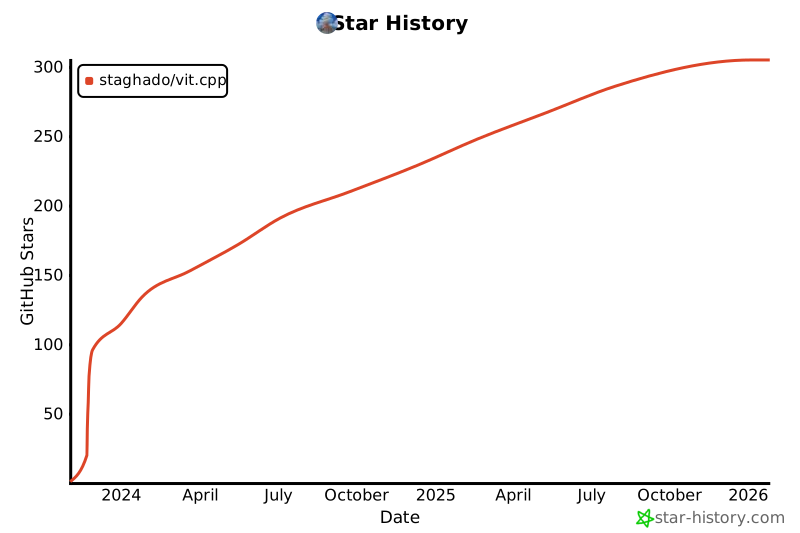
## Star History
[](https://star-history.com/#staghado/vit.cpp&Date)