# SplashScreenSample
**Repository Path**: ymeddmn/SplashScreenSample
## Basic Information
- **Project Name**: SplashScreenSample
- **Description**: No description available
- **Primary Language**: Kotlin
- **License**: Not specified
- **Default Branch**: main
- **Homepage**: None
- **GVP Project**: No
## Statistics
- **Stars**: 0
- **Forks**: 0
- **Created**: 2021-12-11
- **Last Updated**: 2021-12-11
## Categories & Tags
**Categories**: Uncategorized
**Tags**: None
## README
> 关注公众号学习更多知识
>
>
## 概述
`android12`新增了一个`SplashScreen`的启动页辅助类。不过他并不能向下兼容,只能在`android12`进行使用。因此官方在`jetpack`中开发了可以向下进行兼容的`jetpack版SplashScreen`(目前仍然是alpha所以还不不建议在项目中使用)。本文会简单讲讲`jetpack版SplashScreen`的使用。
## 简易使用
### 引入依赖
```groovy
implementation 'androidx.core:core-splashscreen:1.0.0-alpha02'
```
### 配置主题
```xml
```
### 在manifest中配置activity主题
```xml
```
### Activity中配置SplashScreen代码
只需要一行代码,安装jetpack版的`SplashScreen`即可使用
```kt
installSplashScreen()
```
### 延长展示时间
`setKeepVisibleCondition`方法可以延长显示时间
```kt
private fun initSplashScreen() {
var startMillis = SystemClock.uptimeMillis()
val mSplashScreenView = installSplashScreen()
mSplashScreenView.setKeepVisibleCondition {
SystemClock.uptimeMillis() - startMillis < 1000 * 3
}
}
```
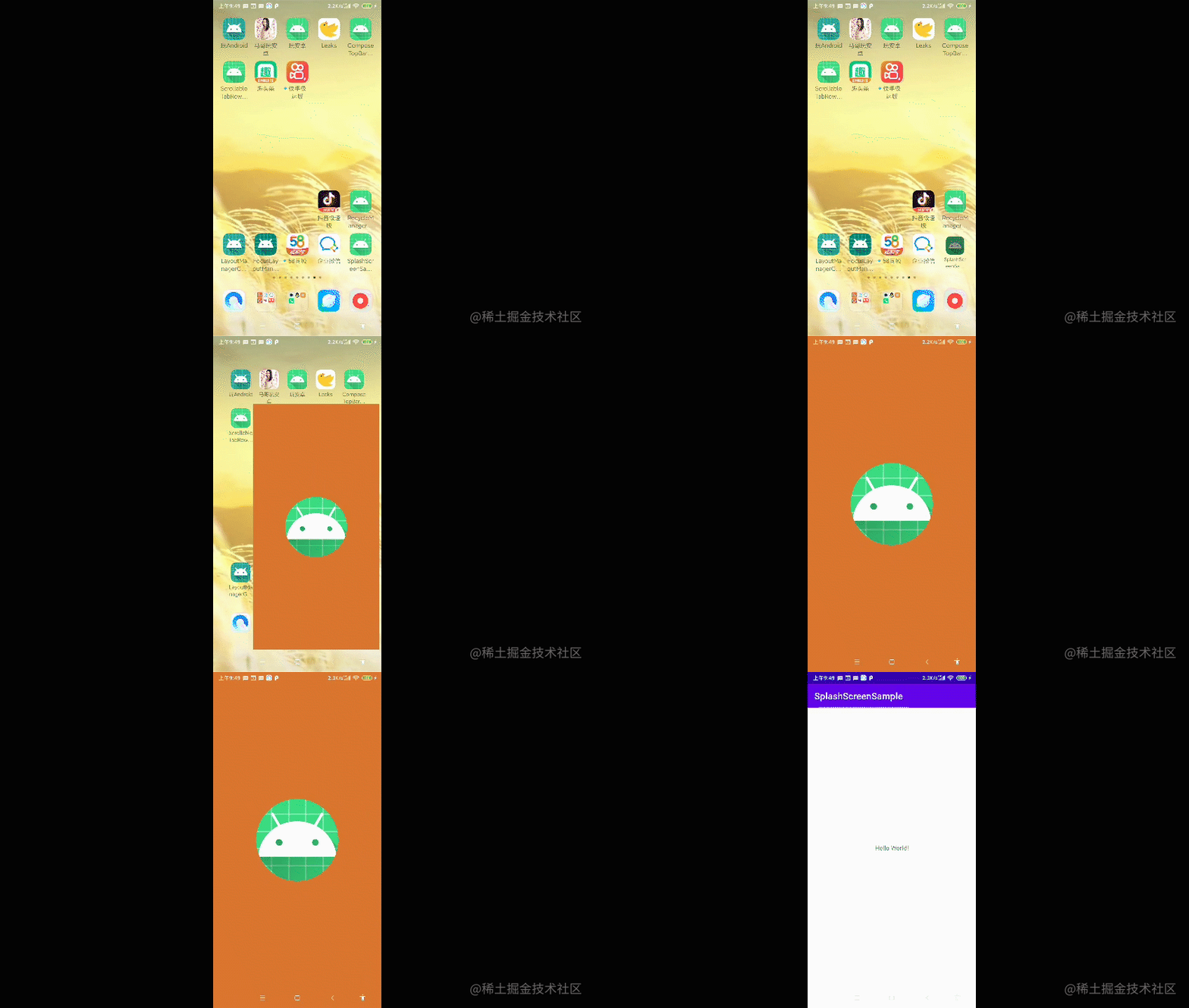
### 效果图
## 属性说明
### windowSplashScreenAnimatedIcon
中心图标
### windowSplashScreenBackground
整屏的背景颜色
### windowSplashScreenAnimationDuration
动画持续时间,最长1s
### windowSplashScreenIconBackgroundColor
中间图标背景颜色