# wysmall
**Repository Path**: yangvb/wysmall
## Basic Information
- **Project Name**: wysmall
- **Description**: wysmall商城是基于springboot的Java商城。本商城分线上商城、前后端分离的后台管理模块、使用dcloud开发的商城APP。商城支持集群部署。wysmall商城系统要做最美的商城、最快的商城、最赞的商城。B2C商城 BBC商城 小程序商城 PC商城 H5商城 APP商城 java商城
- **Primary Language**: Java
- **License**: Artistic-2.0
- **Default Branch**: 0.09
- **Homepage**: None
- **GVP Project**: No
## Statistics
- **Stars**: 0
- **Forks**: 3
- **Created**: 2022-07-07
- **Last Updated**: 2022-07-07
## Categories & Tags
**Categories**: Uncategorized
**Tags**: None
## README
# WYSMALL
## 介绍
WYSMALL商城是基于springboot的Java商城。本商城分线上商城、前后端分离的后台管理模块、使用dcloud开发的商城APP。商城支持集群部署。wysmall商城系统要做最美的商城、最快的商城、最赞的商城。B2C商城 BBC商城 小程序商城 PC商城 H5商城 APP商城 java商城
WYSMALL开源项目一年左右开发周期,每天都会持续更新代码,敬请期待......
最新更新信息已发布在csdn.net
## 前言
WYSMALL项目致力于打造分布式开源电商平台,开源板块包含社区团购(客户端、团长端、供应商端、仓库端、骑手端)、跨境电商、全球购一件代发(商家端)、MT外卖(商家端、骑手配送端), 本开源项目仅供学习,有不足的地方请留下宝贵的意见。
## 项目文档
- 文档地址:XXX
- 备用地址:XXX
## 项目介绍
WYSMALL项目是分布式开源电商平台,包括前台商城平台及后台管理系统,前台商城系统包含首页门户、商品推荐、商品搜索、商品展示、购物车、订单流程、会员中心、客户服务、帮助中心等模块。后台管理系统包含商品管理、订单管理、会员管理、促销管理、运营管理、内容管理、统计报表、财务管理、权限管理、设置等模块。
### 项目演示
#### 商城管理平台
前端项目`mall-vue
1. 请先安装node.js
2. 请使用Hbuilder工具运行
3. 进入目录,在控制台运行
```
npm install
npm run dev
```
便可在浏览中展示,地址:http://localhost:89/
演示图:


#### 社区团购
前端项目`mall-app`地址:敬请期待......
项目演示地址:XXX
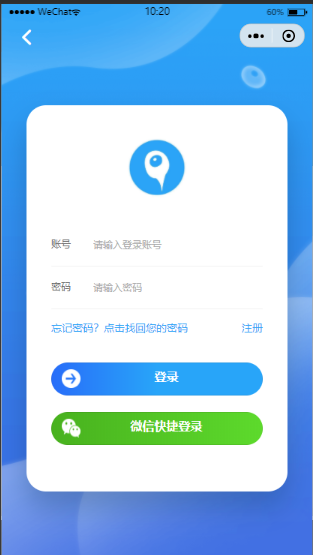
#### 团长端
前端项目`mall-app-web`地址:敬请期待......
项目演示地址:XXX
#### 商家端
前端项目`mall-app-bussisess`地址:敬请期待......
项目演示地址:XXX
#### 骑手端
前端项目`mall-app-web`地址:敬请期待......
项目演示地址:XXX
#### 跨境电商
前端项目`mall-app-web`地址:敬请期待......
项目演示地址:XXX
#### 全球购一件代发
前端项目`mall-app-web`地址:敬请期待......
项目演示地址:XXX
#### MT外卖
前端项目`mall-app-web`地址:敬请期待......
项目演示地址:XXX
### 项目结构
```XML
mall-common --> 公共代码块
mall-gateway --> 网关微服务
mall-pay --> 支付微服务
mall-report --> 报表统计微服务
mall-order --> 订单微服务
mall-member --> 会员微服务
mall-log --> 日志微服务
mall-sms --> 短信、邮件微服务
mall-coupon --> 优惠中心
mall-seckill --> 秒杀
mall-service --> 第三方服务中心(OSS)
mall-vue --> 后台管理前端页面
wys-fast --> 权限管理
wys-generator --> 自动生成代码
```
### 技术选型
#### 后端技术
| 技术 | 版本 | 官网 |
| ------------------ | ------------- | ----------------------------------------------- |
| SpringBoot | 2.3.6 | https://spring.io/projects/spring-boot |
| SpringCloudAlibaba | 2.2.3.RELEASE | https://spring.io/projects/spring-cloud-alibaba |
| SpringCloud | Hoxton.SR9 | https://spring.io/projects/spring-cloud |
| Mybatis-Plus | 3.x | https://mybatis.plus/ |
| | | |
#### 前端技术
| 技术 | 版本 | 官网 |
| --------- | ------ | ------------------------- |
| Bootstrap | v3.3.7 | https://www.bootcss.com/ |
| Vue | v3.0 | https://cn.vuejs.org/ |
| Uni-App | | https://uniapp.dcloud.io/ |
#### 架构图
##### 系统架构图

## 环境搭建
### 开发工具
| 工具 | 版本 | 官网 |
| ------------- | -------- | --------------------------------------- |
| IDEA | 2019.3.x | https://www.jetbrains.com/idea/download |
| HBuilder X | 2.9.8 | https://www.dcloud.io/hbuilderx.html |
| Typora | 0.9.98 | https://typora.io/ |
| Navicat | 12.1.18 | http://www.formysql.com/xiazai.html |
| SQLyog | 13.1.6 | https://sqlyog.en.softonic.com/ |
| PowerDesigner | 16.x | http://powerdesigner.de/ |
### 开发环境
| 工具 | 版本号 | 下载 |
| ------------- | ------ | ------------------------------------------------------------ |
| JDK | 1.8 | https://www.oracle.com/technetwork/java/javase/downloads/jdk8-downloads-2133151.html |
| Mysql | 8.0.18 | https://www.mysql.com/ |
| Redis | 5.X | https://redis.io/download |
| RabbitMQ | 3.7.14 | http://www.rabbitmq.com/download.html |
| Nginx | 1.10 | http://nginx.org/en/download.html |
| Elasticsearch | 7.6.2 | https://www.elastic.co/downloads/elasticsearch |
| Nacos | 2.0.0 | https://github.com/alibaba/nacos/releases |
| Logstash | 7.6.2 | https://www.elastic.co/cn/downloads/logstash |
### 项目构建
**1、在widows下的hosts文件中添加如下内容,其中192.168.16.149为您nginx服务器的ip**
```handlebars
192.168.16.149 mall.com #首页
192.168.16.149 search.mall.com #产品列表
192.168.16.149 item.mall.com #产品详情
192.168.16.149 auth.mall.com #登录
192.168.16.149 cart.mall.com #购物车
192.168.16.149 order.mall.com #订单
192.168.16.149 member.mall.com #会员
192.168.16.149 ware.mall.com #库存
192.168.16.149 service.mall.com #第三方服务
```
**2、搭建nginx服务器**
参考:https://lovoo.blog.csdn.net/article/details/118255439
1). nginx.conf文件内容:
```handlebars
user nginx;
worker_processes auto;
error_log /var/log/nginx/error.log notice;
pid /var/run/nginx.pid;
events {
worker_connections 1024;
}
http {
include /etc/nginx/mime.types;
default_type application/octet-stream;
log_format main '$remote_addr - $remote_user [$time_local] "$request" '
'$status $body_bytes_sent "$http_referer" '
'"$http_user_agent" "$http_x_forwarded_for"';
access_log /var/log/nginx/access.log main;
sendfile on;
#tcp_nopush on;
keepalive_timeout 65;
#gzip on;
upstream mall{
server 192.168.16.166:88;
}
include /etc/nginx/conf.d/*.conf;
}
```
2). /opt/docker/nginx/conf/conf.d/mall.conf配置
```handlebars
server {
listen 80;
server_name mall.com;
#access_log /var/log/nginx/host.access.log main;
location /static/ {
root /usr/share/nginx/html;
}
location / {
#proxy_pass http://192.168.16.166:10000;
proxy_set_header Host $host;
#proxy_set_header Host $http_host;
#proxy_set_header x-forwarded-for $remote_addr;
proxy_pass http://mall;
}
#error_page 404 /404.html;
# redirect server error pages to the static page /50x.html
#
error_page 500 502 503 504 /50x.html;
location = /50x.html {
root /usr/share/nginx/html;
}
# proxy the PHP scripts to Apache listening on 127.0.0.1:80
#
#location ~ \.php$ {
# proxy_pass http://127.0.0.1;
#}
# pass the PHP scripts to FastCGI server listening on 127.0.0.1:9000
#
#location ~ \.php$ {
# root html;
# fastcgi_pass 127.0.0.1:9000;
# fastcgi_index index.php;
# fastcgi_param SCRIPT_FILENAME /scripts$fastcgi_script_name;
# include fastcgi_params;
#}
# deny access to .htaccess files, if Apache's document root
# concurs with nginx's one
#
#location ~ /\.ht {
# deny all;
#}
}
```
**3、搭建nacos注册中心**
1. 下载 nacos,进入 bin目录,双击startup.cmd启动
2. 登录帐户与密码:nacos
3. 配置命名空间:

**4、配置网关 mall-gateway**
如:
```
- id: order_host_route
uri: lb://mall-order
predicates:
- Host=order.mall.com
```
**5、每个模块配置**
请参考mall-ware模块下的application.yml与bootstrap.properties
**6、静态资源**
存放在nginx本地存储的html/static目录下

下载地址
链接:https://pan.baidu.com/s/1Cs1go2VqO8-uYUOzU-krgw
提取码:ku5e
### 性能优化
1.给经常查询的数据库字段添加索引
2.关闭日志, logging.level: error
3.开通页面缓存 cache:true
## Contact-Me
QQ群号:722865146(1群) (进群前,请在网页右上角点star)