# PyQt-Fluent-Widgets(zhiyiYo)
**Repository Path**: xwadmin/PyQt-Fluent-Widgets
## Basic Information
- **Project Name**: PyQt-Fluent-Widgets(zhiyiYo)
- **Description**: 镜像加速
- **Primary Language**: Unknown
- **License**: GPL-3.0
- **Default Branch**: master
- **Homepage**: None
- **GVP Project**: No
## Statistics
- **Stars**: 0
- **Forks**: 0
- **Created**: 2026-03-22
- **Last Updated**: 2026-04-30
## Categories & Tags
**Categories**: Uncategorized
**Tags**: None
## README

PyQt-Fluent-Widgets
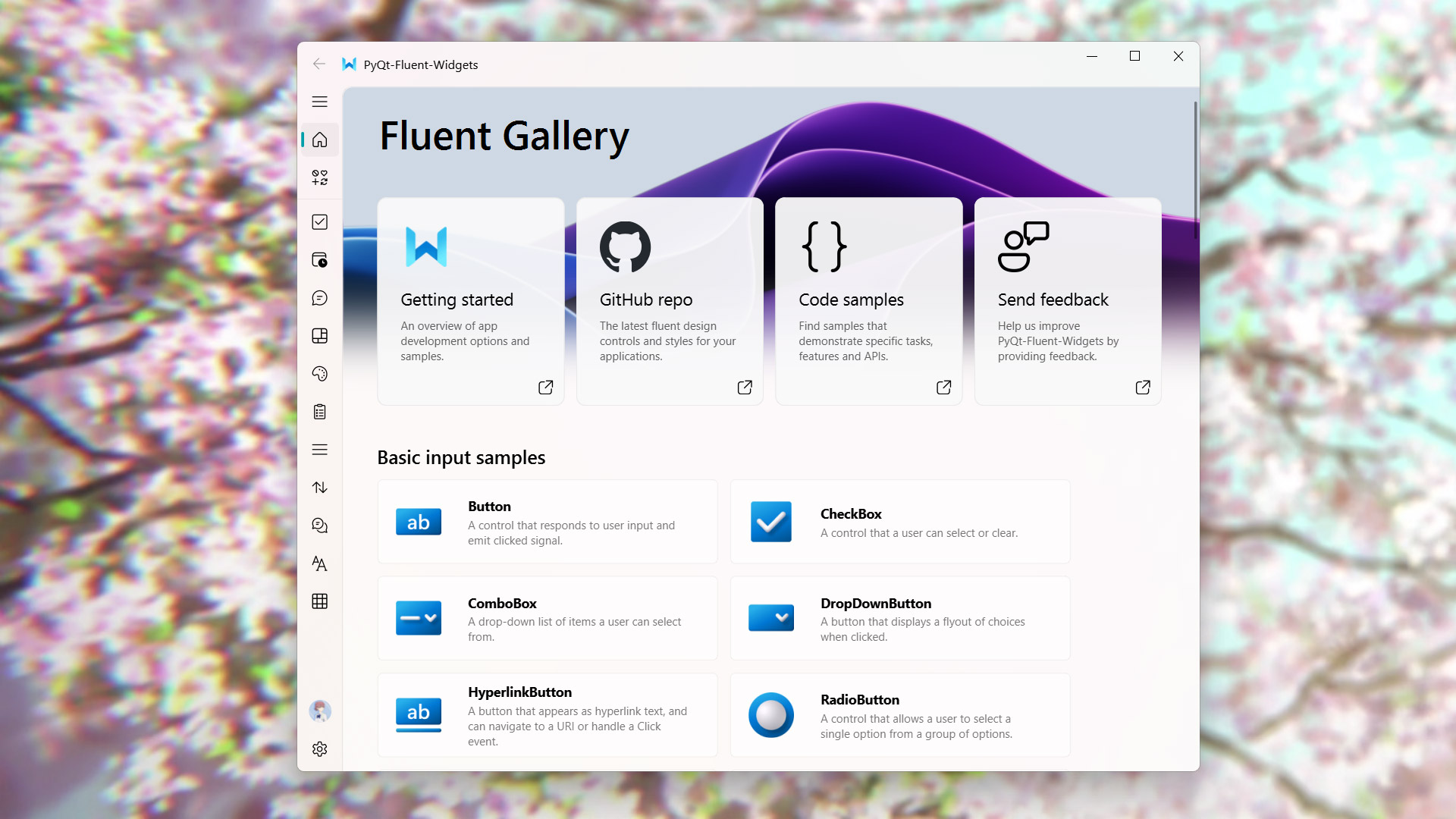
A fluent design widgets library based on PyQt5
[](https://pypi.org/project/PyQt-Fluent-Widgets)
[]()
[](LICENSE)
[]()
English | 简体中文 | 官网
## Install
To install lite version for PyQt5:
```shell
pip install PyQt-Fluent-Widgets -i https://pypi.org/simple/
```
Or install full-featured version (`AcrylicLabel` is available):
```shell
pip install "PyQt-Fluent-Widgets[full]" -i https://pypi.org/simple/
```
If you are using PySide2, PySide6 or PyQt6, you can download the code in [PySide2](https://github.com/zhiyiYo/PyQt-Fluent-Widgets/tree/PySide2), [PySide6](https://github.com/zhiyiYo/PyQt-Fluent-Widgets/tree/PySide6) or [PyQt6](https://github.com/zhiyiYo/PyQt-Fluent-Widgets/tree/PyQt6) branch.
The [Pro version](https://qfluentwidgets.com/pages/pro) library contains more advance components. You can download `PyQt-Fluent-Widgets-Pro-Gallery.zip` from the [release page](https://github.com/zhiyiYo/PyQt-Fluent-Widgets/releases) for preview purposes.
C++ QFluentWidgets require purchasing a license from the [official website](https://qfluentwidgets.com/price). You can also download the compiled demo `C++_QFluentWidgets.zip` from the [release page](https://github.com/zhiyiYo/PyQt-Fluent-Widgets/releases).
> [!Warning]
> Don't install PyQt-Fluent-Widgets, PyQt6-Fluent-Widgets, PySide2-Fluent-Widgets and PySide6-Fluent-Widgets at the same time, because their package names are all `qfluentwidgets`.
## Run Example
After installing PyQt-Fluent-Widgets package using pip, you can run any demo in the examples directory, for example:
```shell
cd examples/gallery
python demo.py
```
If you encounter `ImportError: cannot import name 'XXX' from 'qfluentwidgets'`, it indicates that the package version you installed is too low. You can replace the mirror source with https://pypi.org/simple and reinstall again.
## Documentation
Want to know more about PyQt-Fluent-Widgets? Please read the [help document](https://qfluentwidgets.com) 👈
## License
PyQt-Fluent-Widgets is licensed under [GPLv3](./LICENSE) for non-commercial project. For commercial use, please purchase a [commercial license](https://qfluentwidgets.com/price).
Copyright © 2021 by zhiyiYo.
## Work with Designer
[Fluent Client](https://www.youtube.com/watch?v=7UCmcsOlhTk) integrates designer plugins, supporting direct drag-and-drop usage of QFluentWidgets components in Designer. You can purchase the client from [TaoBao](https://item.taobao.com/item.htm?ft=t&id=767961666600) or [Afdian](https://afdian.com/item/6726fcc4247311ef8c6852540025c377).

## Issue Reporting
If you encounter any problems while using the library, please first check the official documentation. If the issue is confirmed to be a bug in the library, please send the following information to [shokokawaii@outlook.com](mailto:shokokawaii@outlook.com):
- Operating system information
- QFluentWidgets Library version
- Minimal reproducible code
- Steps to reproduce
## See Also
Here are some projects based on PyQt-Fluent-Widgets:
* [**zhiyiYo/Fluent-M3U8**: A cross-platform m3u8 downloader](https://fluent-m3u8.org)
* [**zhiyiYo/Groove**: A cross-platform music player based on PyQt5](https://github.com/zhiyiYo/Groove)
* [**zhiyiYo/Alpha-Gobang-Zero**: A gobang robot based on reinforcement learning](https://github.com/zhiyiYo/Alpha-Gobang-Zero)
## Reference
* [**Windows design**: Design guidelines and toolkits for creating native app experiences](https://learn.microsoft.com/zh-cn/windows/apps/design/)
* [**Microsoft/WinUI-Gallery**: An app demonstrates the controls available in WinUI and the Fluent Design System](https://github.com/microsoft/WinUI-Gallery)