# react-desktop
**Repository Path**: mirrors_developit/react-desktop
## Basic Information
- **Project Name**: react-desktop
- **Description**: React UI Components for OS X El Capitan and Windows 10
- **Primary Language**: Unknown
- **License**: MIT
- **Default Branch**: master
- **Homepage**: None
- **GVP Project**: No
## Statistics
- **Stars**: 0
- **Forks**: 0
- **Created**: 2020-08-08
- **Last Updated**: 2026-08-01
## Categories & Tags
**Categories**: Uncategorized
**Tags**: None
## README
# 
[](https://travis-ci.org/gabrielbull/react-desktop)
[](https://codeclimate.com/github/gabrielbull/react-desktop)
[](https://david-dm.org/gabrielbull/react-desktop)
[](https://david-dm.org/gabrielbull/react-desktop#info=devDependencies)
[](https://www.npmjs.org/package/react-desktop)
[](https://www.npmjs.org/package/react-desktop)
[](https://gitter.im/gabrielbull/react-desktop?utm_source=badge&utm_medium=badge&utm_campaign=pr-badge)
React UI Components for OS X El Capitan and Windows 10.
> npm install react-desktop --save

## Contributing
This library has been created to bring a native desktop experience to the web. It works extremely well with tools such as [node-webkit](http://nwjs.io) or [Electron.js](http://electron.atom.io)!
Everyone is welcome to contribute and add more components/documentation whilst following the [contributing guidelines](/CONTRIBUTING.md).
## Documentation
Guides on installation, components and advanced usage are found in the [documentation](/docs/README.md).
## Todos OS X
- [x] Window
- [x] Title Bar
- [x] Toolbar
- [ ] Space Toolbar Item
- [ ] Flexible Space Toolbar Item
- [x] Segmented Control
- [x] Box
- [x] Label
- [x] Form
- [x] Push Button
- [ ] Textured Rounded Button
- [ ] Gradient Button
- [ ] Pop Up Button
- [ ] Check Box Button
- [ ] Radio Button
- [x] Text Field
- [ ] Search Field
- [ ] Secure Text Field
- [x] Indeterminate Circular Progress Indicator
## Todos Windows
- [x] Window
- [x] Title Bar
- [ ] Label
- [ ] Form
- [ ] Button
- [ ] Text Box
- [x] Indeterminate Progress Ring
- [ ] Indeterminate Progress Bar
- [ ] Determinate Progress Bar
## Screenshots
### OS X El Capitan
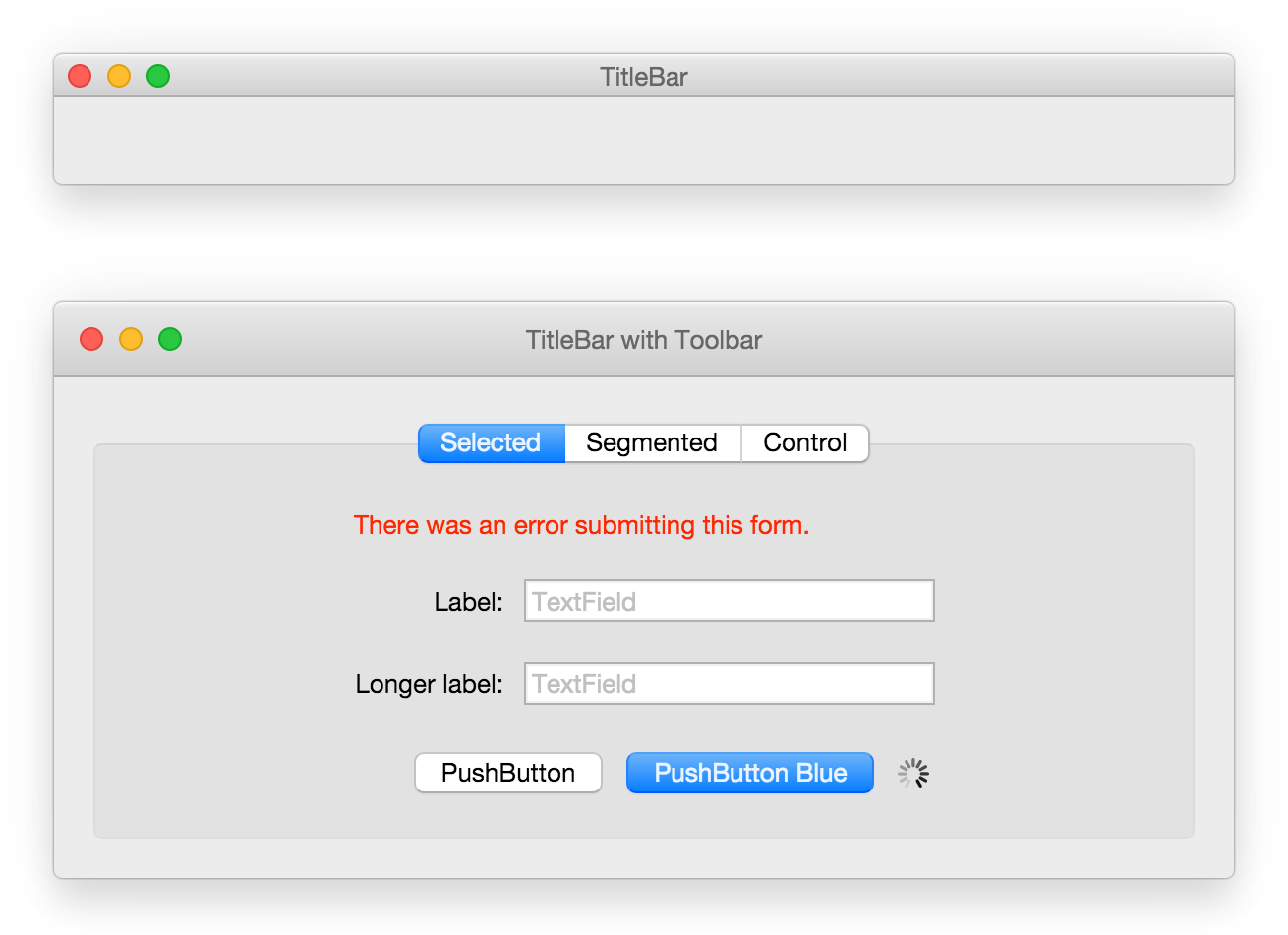 ### Windows 10
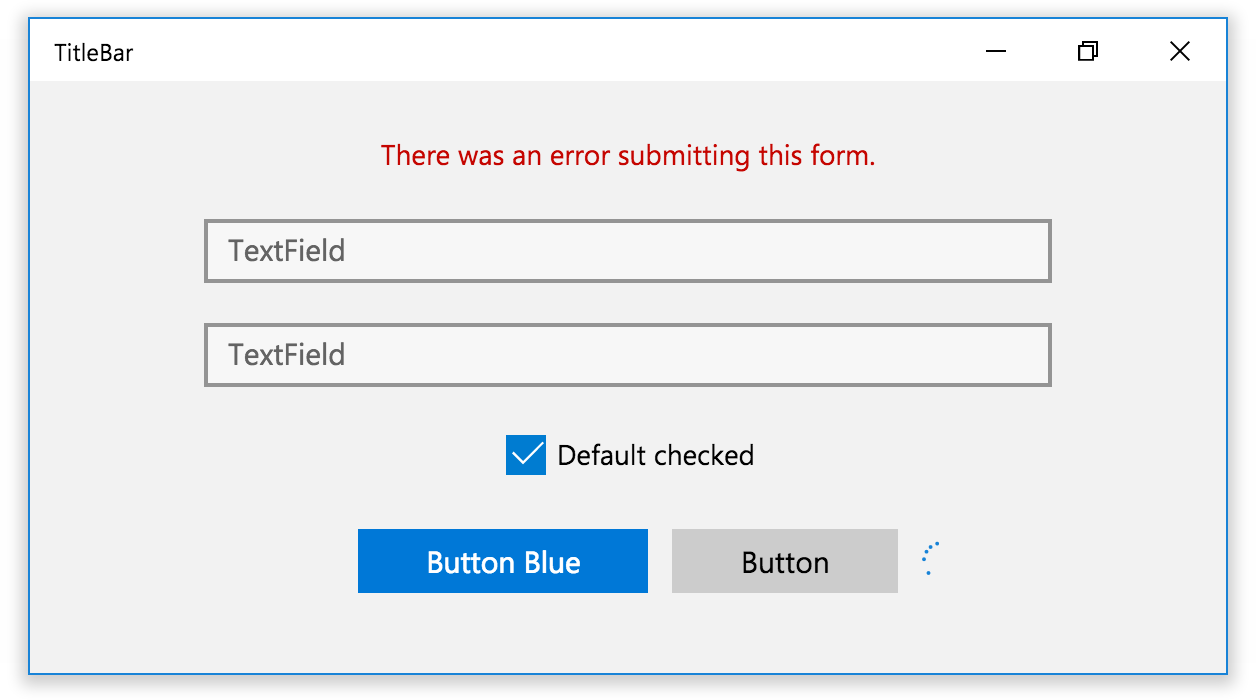 ## Usage
Simple usage:
```jsx
import React from 'react';
import {
Window,
TitleBar,
PushButton,
TextField,
Toolbar,
Box,
SegmentedControl,
IndeterminateCircularProgressIndicator,
Form,
Label
} from 'react-desktop';
class MyApp extends React.Component {
constructor() {
super();
this.state = { selectedTab: 'login' };
}
render() {
return (
{ alert('close'); }}
onResizePress={() => { alert('resize'); }}
onMinimizePress={() => { alert('minimize'); }}
>
{ this.setState({ selectedTab: 'login' }) } }
>
);
}
}
```
## Usage
Simple usage:
```jsx
import React from 'react';
import {
Window,
TitleBar,
PushButton,
TextField,
Toolbar,
Box,
SegmentedControl,
IndeterminateCircularProgressIndicator,
Form,
Label
} from 'react-desktop';
class MyApp extends React.Component {
constructor() {
super();
this.state = { selectedTab: 'login' };
}
render() {
return (
{ alert('close'); }}
onResizePress={() => { alert('resize'); }}
onMinimizePress={() => { alert('minimize'); }}
>
{ this.setState({ selectedTab: 'login' }) } }
>
);
}
}
```