# tern-phaser
**Repository Path**: mirrors_angelozerr/tern-phaser
## Basic Information
- **Project Name**: tern-phaser
- **Description**: A Tern plugin for Phaser
- **Primary Language**: Unknown
- **License**: Not specified
- **Default Branch**: master
- **Homepage**: None
- **GVP Project**: No
## Statistics
- **Stars**: 0
- **Forks**: 0
- **Created**: 2020-09-24
- **Last Updated**: 2026-04-11
## Categories & Tags
**Categories**: Uncategorized
**Tags**: None
## README
# tern-phaser
[](http://travis-ci.org/angelozerr/tern-phaser)
[](https://www.npmjs.org/package/tern-phaser)
[tern-phaser](https://github.com/angelozerr/tern-phaser) is a plugin which adds support for [Phaser](http://phaser.io/) to the JavaScript code intelligence system [Tern](http://ternjs.net/).
## Demo
You can play with [online demo](http://demo-angelozerr.rhcloud.com/CodeMirror-Java/phaser.html) which uses CodeMirror ((inside Web Browser).
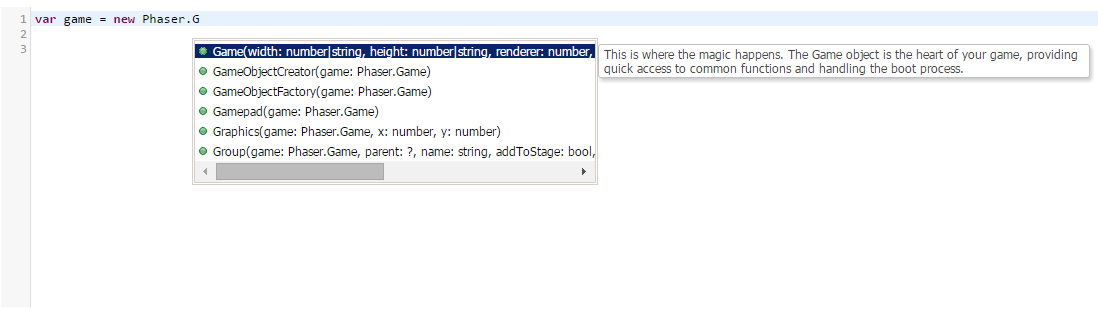
Here a screenshot with completion with CodeMorror Phaser completion :
Here a screenshot with completion with Eclipse IDE Phaser completion :
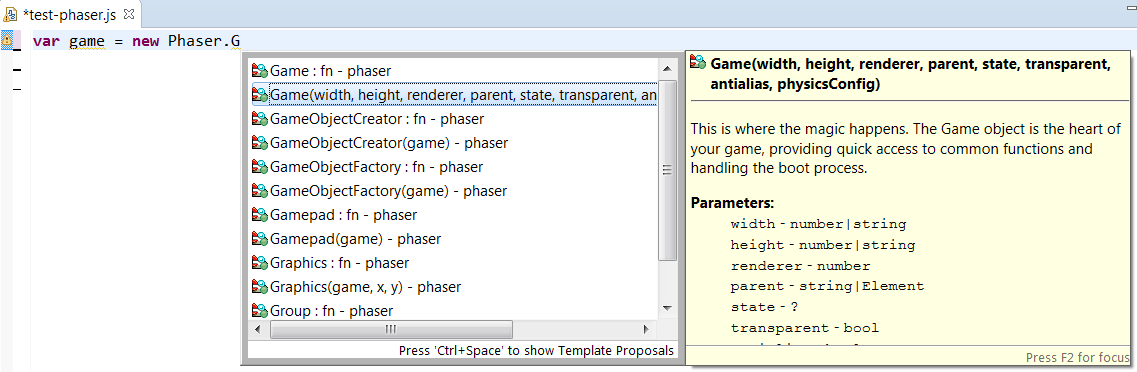
If you wish to use Eclipse as IDE, see [Eclipse support for Phaser](https://github.com/angelozerr/tern.java/wiki/Tern-&-Phaser-support).
## Installation
tern-phaser works with the NodeJS [Tern Server](http://ternjs.net/doc/manual.html#server), and within a browser.
### Short version
After installing Tern according the setup instructions of your desired [editor
plugin](http://ternjs.net/doc/manual.html#editor), go to the place where the [Tern package](https://www.npmjs.org/package/tern) was
installed (or the [Tern repo](https://github.com/marijnh/tern) was cloned) and run
```
$ npm install tern-phaser
```
Or, if you're not sure where Tern was installed, you can try
```
$ npm install -g tern-phaser
```
### Long version
See [INSTALL.md](INSTALL.md) for instructions tailored to each editor.
## Configuration
In order for Tern to load the tern-phaser plugin once it is installed, you must
include `phaser` in the `plugins` section of your [Tern configuration
file](http://ternjs.net/doc/manual.html#configuration). The configuration file can be either a file named
`.tern-project` in your project's root directory, or `.tern-config` in your home
directory.
Here is a minimal example `.tern-project` configuration file:
```json
{
"ecmaVersion": 5,
"libs": ["browser"],
"plugins": {
"phaser": {}
}
}
```
#### "Project directory" and `.tern-project` vs `.tern-config`
Tern looks for `.tern-project` first, walking up the directory tree, and uses
its location as the "project directory". If no `.tern-project` is found, your
`.tern-config` is loaded instead, and *the working directory of the Tern server
process is used as the "project directory"*.
## Structure
The basic structure of the project is given in the following way:
* `phaser.js` the tern plugin.
* `demos/` demos with Phaser tern plugin which use CodeMirror.
* `test` test of the tern plugin.