# ai-draw **Repository Path**: joelive/ai-draw ## Basic Information - **Project Name**: ai-draw - **Description**: No description available - **Primary Language**: Unknown - **License**: Not specified - **Default Branch**: main - **Homepage**: None - **GVP Project**: No ## Statistics - **Stars**: 0 - **Forks**: 0 - **Created**: 2026-01-28 - **Last Updated**: 2026-01-28 ## Categories & Tags **Categories**: Uncategorized **Tags**: None ## README
# AI Draw 一句话见所想 与 AI 对话,让所想即刻呈现 [![Image](https://github.com/user-attachments/assets/33a8fde6-2d2e-4c50-9416-7bae701451a4)](http://100qie.cn:3000)

AI Draw 是一个智能绘图平台,通过自然语言对话形式,即可快速生成流程图、时序图、架构图等各类图表,无需复杂的拖拽操作,让所想即刻呈现。支持 Mermaid、Excalidraw 和 Draw.io 三大引擎,支持docker私有部署,支持绘图文件存储和文件分组管理。

基于 next-ai-drawio 和 ai-draw-next 二次开发,增加文件管理、文件分组管理、本地/云端两种模式支持、动态绘图效果等功能,并调整较多交互,优化使用体验。 ## 系统截图 ![首页](https://github.com/user-attachments/assets/df1ce9d7-03d2-4c9f-89a1-6bc3bdf68912) ![编辑文件](https://github.com/user-attachments/assets/83e0250c-e97e-4a35-9a3f-c75f6f887e9e) ![文件管理](https://github.com/user-attachments/assets/26093cc8-4fbc-45d4-b0d9-f3f716678bf7) **视频片段** https://github.com/user-attachments/assets/2ac6c577-9c66-4806-a169-37d023c5f9fc ## 私有部署- Docker Compose (推荐) **1. docker部署并启动项目** ```bash version: '3.8' services: ai-draw: build: . image: ghcr.io/stone-yu/ai-draw:latest container_name: ai-draw restart: unless-stopped ports: - "3000:3000" volumes: # Map local data directory to container data directory # On NAS, change ./data to your actual path, e.g., /volume1/docker/aidraw/data - ./data/aidraw:/app/data environment: - PORT=3000 - DATA_DIR=/app/data - DEBUG=false ``` **阿里云镜像地址:** registry.cn-hangzhou.aliyuncs.com/stone-yu/ai-draw:latest **2.访问地址:** 访问http://:3000即可使用,数据将保存在项目目录下的/app/data文件夹中; **3.管理员登录:** 登录默认管理员账号:admin/admin123,登录后及时更改密码;** **4.设置全局LLM模型:** 左侧系统设置-全局LLM模型,填写信息; ## 🛠️ 本地开发 **1.启动项目** ```bash git clone https://github.com/stone-yu/ai-draw cd ai-draw pnpm install # 同时启动前端和后端 pnpm run dev # 访问 http://localhost:8787 # 或者分别启动: pnpm run dev:frontend # 仅 Vite (http://localhost:5173) pnpm run dev:backend # 仅 Wrangler Pages (http://localhost:8787) ``` **2.访问控制台上的前端地址,数据将保存在项目目录下的/app/data文件夹中;** **2.管理员登录:** 登录默认管理员账号:admin/admin123,登录后及时更改密码;** **3.设置全局LLM模型:** 左侧系统设置-全局LLM模型,填写信息; ## 🧩 技术栈 - **前端**:React 19 + Vite + TypeScript + Tailwind CSS - **状态管理**:Zustand - **本地存储**:Dexie.js (IndexedDB) - **图标库**:Lucide React ## 支持的 AI 服务 | 服务商 | AI_PROVIDER | AI_BASE_URL | 推荐模型 | |--------|-------------|-------------|----------| | OpenAI | openai | https://api.openai.com/v1 | gpt-5 | | Anthropic | anthropic | https://api.anthropic.com/v1 | claude-sonnet-4-5 | | 其他兼容服务 | openai | 自定义 URL | - | ## 问题反馈 您的反馈对我们非常重要。如果您在使用过程中遇到任何问题,或者有任何功能建议,欢迎通过以下方式联系我们。

WeChat Pay
AliPay
## ☕ 请作者喝杯咖啡 如果觉得 AI Draw 对您有帮助,欢迎打赏支持后续开发与维护!
WeChat Pay
微信
AliPay
支付宝

感谢您的支持!您的鼓励是我更新的最大动力。

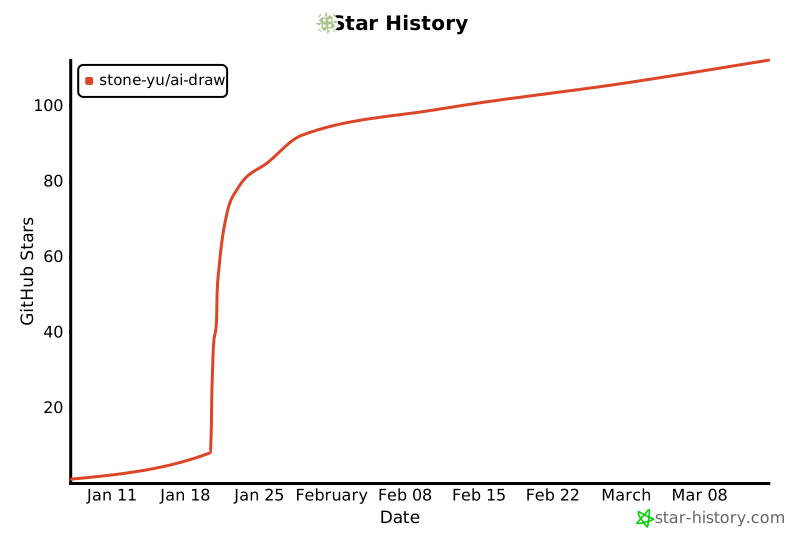
## 📈 Star History [![Star History Chart](https://api.star-history.com/svg?repos=stone-yu/ai-draw&type=Date&t=new)](https://www.star-history.com/#stone-yu/ai-draw&type=date&legend=top-left) ## 开源协议 MIT