# ResourcesSaverExt
**Repository Path**: WzkBr/ResourcesSaverExt
## Basic Information
- **Project Name**: ResourcesSaverExt
- **Description**: No description available
- **Primary Language**: Unknown
- **License**: GPL-3.0
- **Default Branch**: master
- **Homepage**: None
- **GVP Project**: No
## Statistics
- **Stars**: 0
- **Forks**: 0
- **Created**: 2026-06-29
- **Last Updated**: 2026-06-29
## Categories & Tags
**Categories**: Uncategorized
**Tags**: None
## README
# Resources Saver Extension (Chrome)
### Chrome Extension for one click downloading all resources files and keeping folder structures.
---
[](https://www.buymeacoffee.com/up209d)
### How to use:
Load extension from `unpacked2x` folder as local package.
`Chrome > Extensions > Manage Extensions`
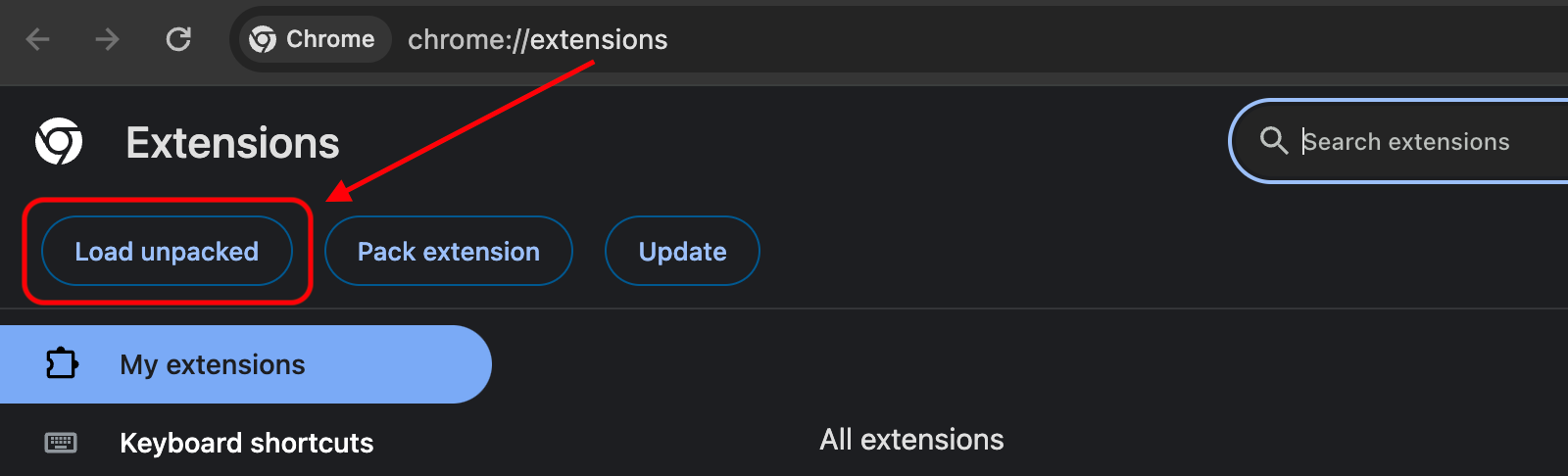
Click `Load unpacked` button and select the `unpacked2x` directory

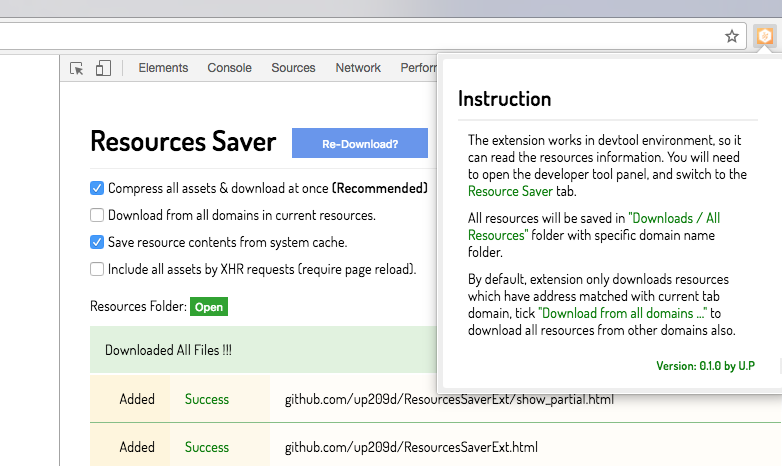
Open Chrome `DevTool` Panel > Choose `ResourceSaver` Tab
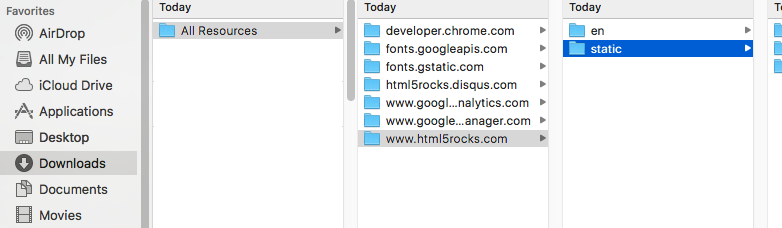
Saved website will have same structure as in remote server, you can use any http server tool to host the web content again eg. [http-server](https://github.com/http-party/http-server)
## Development
### Requirement
Make sure your Node.js version match with version in `.nvmrc`
Install `yarn`
### Install dependencies
```
yarn
```
### Build
```
yarn build
```
Project will be built output to `unpacked2x`