# httpx
**Repository Path**: Wsrihack/httpx
## Basic Information
- **Project Name**: httpx
- **Description**: 111
- **Primary Language**: Unknown
- **License**: MIT
- **Default Branch**: master
- **Homepage**: None
- **GVP Project**: No
## Statistics
- **Stars**: 0
- **Forks**: 0
- **Created**: 2024-06-04
- **Last Updated**: 2024-06-04
## Categories & Tags
**Categories**: Uncategorized
**Tags**: None
## README





特点 •
安装 •
使用 •
Running httpx •
Notes •
Join Discord
httpx is a fast and multi-purpose HTTP toolkit allow to run multiple probers using [retryablehttp](https://github.com/projectdiscovery/retryablehttp-go) library, it is designed to maintain the result reliability with increased threads.
@httpx中文版 @朋于厌
# Features
- 简单和模块化的代码库,使其易于贡献。
- 快速和完全可配置的标志来探测多个元素。
- 支持多种基于HTTP的探测。
- 智能的自动回退,从https到http作为默认。
- 支持主机、URLs和CIDR作为输入。
- 处理边缘情况,如重试、回退等,以处理WAFs。
### Supported probes:-
| Probes | Default check | Probes | Default check |
| --------------- | ------------- | ----------------- | ------------- |
| URL | true | IP | true |
| Title | true | CNAME | true |
| Status Code | true | Raw HTTP | false |
| Content Length | true | HTTP2 | false |
| TLS Certificate | true | HTTP Pipeline | false |
| CSP Header | true | Virtual host | false |
| Line Count | true | Word Count | true |
| Location Header | true | CDN | false |
| Web Server | true | Paths | false |
| Web Socket | true | Ports | false |
| Response Time | true | Request Method | true |
| Favicon Hash | false | Probe Status | false |
| Body Hash | true | Header Hash | true |
| Redirect chain | false | URL Scheme | true |
| JARM Hash | false | ASN | false |
# Installation Instructions
httpx requires **go1.17** to install successfully. Run the following command to get the repo -
```sh
go install -v github.com/P1kAju/httpx/cmd/httpx@latest
```
```sh
▶ git clone https://github.com/P1kAju/httpx.git;cd httpx;go mod tidy;cd cmd/httpx; go build; mv httpx /usr/local/bin/; httpx -version
```
# Usage
```sh
httpx -h
```
This will display help for the tool. Here are all the switches it supports.
```console
httpx是一个快速和多用途的HTTP工具包,允许使用retryablehttp库运行多个探测器.
Usage:
.\httpx [flags]
Flags:
INPUT:
-l, -list string 待处理的目标列表文件
-rr, -request string 原始请求文件
PROBES 获取 & 输出:
-sc, -status-code 响应-状态代码
-cl, -content-length 响应-内容长度
-ct, -content-type 响应-内容类型
-location 响应重定向位置
-favicon '/favicon.ico' 文件的mmh3哈希值
-hash string 哈希值(支持:MD5,MMH3,SIMHash,SHA1,SHA256,SHA512)。
-jarm jarm指纹哈希值
-rt, -response-time 响应时间
-lc, -line-count 响应正文行数
-wc, -word-count 响应body字数
-title 页面标题
-server, -web-server display server
-td, -tech-detect 基于Wappalyzer获取指纹
-method http请求方法
-websocket 利用websocket获取服务
-ip display host ip
-cname display host cname
-asn display host asn information
-cdn display cdn in use
-probe 显示探头状态
MATCHERS:
-mc, -match-code string 匹配具有指定状态代码的响应 (-mc 200,302)
-ml, -match-length string 匹配指定内容长度的响应 (-ml 100,102)
-mlc, -match-line-count string 匹配指定行数的响应 (-mlc 423,532)
-mwc, -match-word-count string 匹配指定字数的响应 (-mwc 43,55)
-mfc, -match-favicon string[] 匹配指定的favicon哈希值响应 (-mfc 1494302000)
-ms, -match-string string 用指定的字符串匹配响应 (-ms admin)
-mr, -match-regex string 用正则匹配响应 (-mr admin)
EXTRACTOR:
-er, -extract-regex string 显示指定的regex的响应内容
FILTERS:
-fc, -filter-code string 过滤指定状态代码的响应 (-fc 403,401)
-fl, -filter-length string 过滤指定内容长度的响应 (-fl 23,33)
-flc, -filter-line-count string 过滤指定行数的响应 (-flc 423,532)
-fwc, -filter-word-count string 过滤指定字数的响应 (-fwc 423,532)
-ffc, -filter-favicon string[] 过滤指定的favicon哈希值响应 (-mfc 1494302000)
-fs, -filter-string string 用指定的字符串来过滤响应 (-fs admin)
-fe, -filter-regex string 用指定的正则过滤响应 (-fe admin)
RATE-LIMIT:
-t, -threads int 线程数 (default 50)
-rl, -rate-limit int 每秒可发送的最大请求 (default 150)
-rlm, -rate-limit-minute int 每分钟发送的最大请求数
MISCELLANEOUS:
-pa, -probe-all-ips 探测与同一主机相关的所有ips
-p, -ports string[] 探测端口 (nmap syntax: eg 1,2-10,11)
-path string 探测的路径或路径列表 (comma-separated, file)
-tls-probe send http probes on the extracted TLS domains (dns_name)
-csp-probe send http probes on the extracted CSP domains
-tls-grab perform TLS(SSL) data grabbing
-pipeline 探测和显示 server supporting HTTP1.1 pipeline
-http2 探测和显示 server supporting HTTP2
-vhost 探测和显示 server supporting VHOST
OUTPUT:
-o, -output string 输出结果(必要的)
-sr, -store-response http响应包到输出目录
-srd, -store-response-dir string http响应包到自定义目录
-html 以html格式存储输出
-csv 以csv格式存储输出
-json 以JSONL(ines)格式存储输出。
-irr, -include-response 输出http请求/响应的内容到JSON文件 (-json only)
-include-chain 输出请求重定向内容到JSON文件 (-json only)
-store-chain 输出请求重定向内容到文件 (-sr only)
CONFIGURATIONS:
-r, -resolvers string[] 自定义解析器列表 (file or comma separated)
-allow string[] 允许处理的IP/URl的列表 (file or comma separated)
-deny string[] 禁止处理的IP/URl的列表 (file or comma separated)
-random-agent 启用随机user-agent (默认开启) (default true)
-H, -header string[] 自定义请求头 (-H Cookie:k=v)
-http-proxy, -proxy string http proxy to use (eg http://127.0.0.1:8080)
-unsafe 发送原始请求,跳过golang的规范化处理
-resume 使用 resume.cfg 恢复扫描
-fr, -follow-redirects 遵循http重定向
-maxr, -max-redirects int 最大重定向数 (default 10)
-fhr, -follow-host-redirects 跟随host重定向
-vhost-input get a list of vhosts as input
-x string 使用所有的HTTP方法探测
-body string http请求正文
-s, -stream 顺序探测模式
-sd, -skip-dedupe 禁用重复计算的输入项目 (only used with stream mode)
-ldp, -leave-default-ports header保留默认http/https端口 (eg. http://host:80 - https//host:443
DEBUG:
-debug 在终端中显示请求/响应的内容
-debug-req 在终端中显示请求内容
-debug-resp 在终端中显示响应内容
-version 显示 httpx 版本
-stats 显示扫描统计信息
-silent 静默模式
-v, -verbose 详细模式
-si, -stats-interval int 显示统计资料更新之间的等待秒数 (default: 5)
-nc, -no-color 禁用终端输出颜色
OPTIMIZATIONS & 优化:
-nf, -no-fallback 侦察http/https协议 (HTTPS and HTTP)
-nfs, -no-fallback-scheme 指定协议方法进行侦察
-maxhr, -max-host-error int 在跳过剩余路径之前,每个主机的最大错误数 (default 30)
-ec, -exclude-cdn 跳过CDN端口扫描 (only checks for 80,443)
-retries int 重试次数 (-retries 2)
-timeout int 超时, 以秒为单位 (default: 5 -timeout 10) (default 5)
-rsts, -response-size-to-save int 保存的最大响应大小 (字节) (default 2147483647)
-rstr, -response-size-to-read int 读取的最大响应大小 (字节) (default 2147483647)
```
# Running httpX
### 输出到html文件
将httpx处理结果以html文件形式展示。
```console
./httpx -l .\1.txt -o 1.html -html -location -td -title -status-code -probe -cdn -http2
__ __ __ _ __
/ /_ / /_/ /_____ | |/ /
/ __ \/ __/ __/ __ \| /
/ / / / /_/ /_/ /_/ / |
/_/ /_/\__/\__/ .___/_/|_|
/_/ v1.2.1
projectdiscovery.io
Use with caution. You are responsible for your actions.
Developers assume no liability and are not responsible for any misuse or damage.
https://securitytrails.com [SUCCESS] [403] [] [Please Wait... | Cloudflare] [http2] [cloudflare] [Cloudflare,hCaptcha]
https://p1kaju.github.io [SUCCESS] [200] [] [A-Team@P1Kaju's blog] [http2] [GitHub Pages,Jekyll,Ruby on Rails]
https://x.threatbook.cn [SUCCESS] [200] [] [微步在线X情报社区-威胁情报查询_威胁分析平台_开放社区] [pipeline] [http2] [Nginx]
```

[HTML输出DEMO](https://output.jsbin.com/rarukojopa)
- 表格自动排序
- 内容过滤器
### URL Probe
This will run the tool against all the hosts and subdomains in `hosts.txt` and returns URLs running HTTP webserver.
```console
cat hosts.txt | httpx
__ __ __ _ __
/ /_ / /_/ /_____ | |/ /
/ __ \/ __/ __/ __ \| /
/ / / / /_/ /_/ /_/ / |
/_/ /_/\__/\__/ .___/_/|_| v1.1.1
/_/
projectdiscovery.io
[WRN] Use with caution. You are responsible for your actions
[WRN] Developers assume no liability and are not responsible for any misuse or damage.
https://mta-sts.managed.hackerone.com
https://mta-sts.hackerone.com
https://mta-sts.forwarding.hackerone.com
https://docs.hackerone.com
https://www.hackerone.com
https://resources.hackerone.com
https://api.hackerone.com
https://support.hackerone.com
```
### File Input
This will run the tool with the `probe` flag against all of the hosts in **hosts.txt** and return URLs with probed status.
```console
httpx -list hosts.txt -silent -probe
http://ns.hackerone.com [FAILED]
https://docs.hackerone.com [SUCCESS]
https://mta-sts.hackerone.com [SUCCESS]
https://mta-sts.managed.hackerone.com [SUCCESS]
http://email.hackerone.com [FAILED]
https://mta-sts.forwarding.hackerone.com [SUCCESS]
http://links.hackerone.com [FAILED]
https://api.hackerone.com [SUCCESS]
https://www.hackerone.com [SUCCESS]
http://events.hackerone.com [FAILED]
https://support.hackerone.com [SUCCESS]
https://gslink.hackerone.com [SUCCESS]
http://o1.email.hackerone.com [FAILED]
http://info.hackerone.com [FAILED]
https://resources.hackerone.com [SUCCESS]
http://o2.email.hackerone.com [FAILED]
http://o3.email.hackerone.com [FAILED]
http://go.hackerone.com [FAILED]
http://a.ns.hackerone.com [FAILED]
http://b.ns.hackerone.com [FAILED]
```
### CIDR Input
```console
echo 173.0.84.0/24 | httpx -silent
https://173.0.84.29
https://173.0.84.43
https://173.0.84.31
https://173.0.84.44
https://173.0.84.12
https://173.0.84.4
https://173.0.84.36
https://173.0.84.45
https://173.0.84.14
https://173.0.84.25
https://173.0.84.46
https://173.0.84.24
https://173.0.84.32
https://173.0.84.9
https://173.0.84.13
https://173.0.84.6
https://173.0.84.16
https://173.0.84.34
```
### Tool Chain
```console
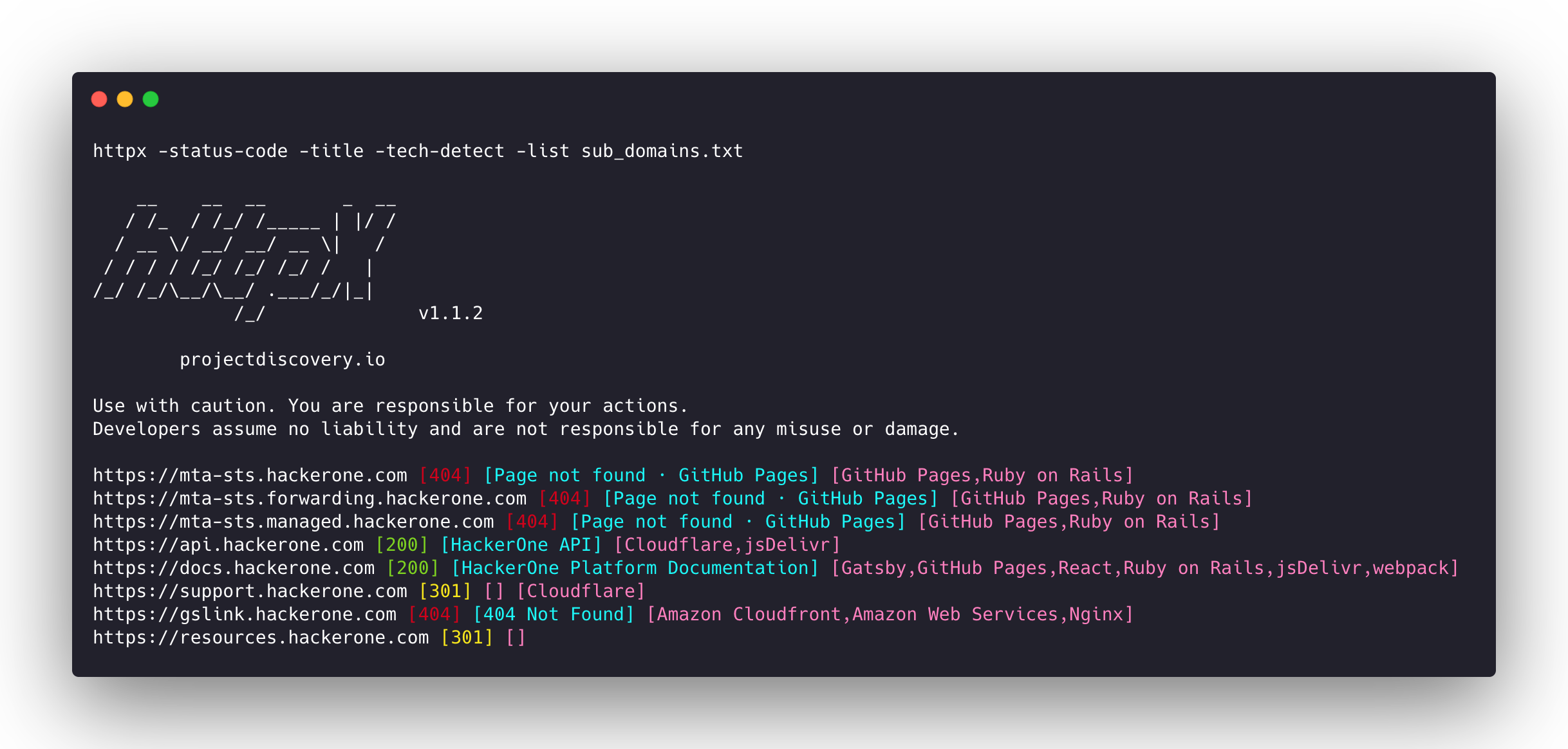
subfinder -d hackerone.com -silent| httpx -title -tech-detect -status-code
__ __ __ _ __
/ /_ / /_/ /_____ | |/ /
/ __ \/ __/ __/ __ \| /
/ / / / /_/ /_/ /_/ / |
/_/ /_/\__/\__/ .___/_/|_|
/_/ v1.1.1
projectdiscovery.io
Use with caution. You are responsible for your actions
Developers assume no liability and are not responsible for any misuse or damage.
https://mta-sts.managed.hackerone.com [404] [Page not found · GitHub Pages] [Varnish,GitHub Pages,Ruby on Rails]
https://mta-sts.hackerone.com [404] [Page not found · GitHub Pages] [Varnish,GitHub Pages,Ruby on Rails]
https://mta-sts.forwarding.hackerone.com [404] [Page not found · GitHub Pages] [GitHub Pages,Ruby on Rails,Varnish]
https://docs.hackerone.com [200] [HackerOne Platform Documentation] [Ruby on Rails,jsDelivr,Gatsby,React,webpack,Varnish,GitHub Pages]
https://support.hackerone.com [301,302,301,200] [HackerOne] [Cloudflare,Ruby on Rails,Ruby]
https://resources.hackerone.com [301,301,404] [Sorry, no Folders found.]
```
### Favicon Hash
```console
subfinder -d hackerone.com -silent | httpx -favicon
__ __ __ _ __
/ /_ / /_/ /_____ | |/ /
/ __ \/ __/ __/ __ \| /
/ / / / /_/ /_/ /_/ / |
/_/ /_/\__/\__/ .___/_/|_|
/_/ v1.1.5
projectdiscovery.io
Use with caution. You are responsible for your actions.
Developers assume no liability and are not responsible for any misuse or damage.
https://docs.hackerone.com/favicon.ico [595148549]
https://hackerone.com/favicon.ico [595148549]
https://mta-sts.managed.hackerone.com/favicon.ico [-1700323260]
https://mta-sts.forwarding.hackerone.com/favicon.ico [-1700323260]
https://support.hackerone.com/favicon.ico [-1279294674]
https://gslink.hackerone.com/favicon.ico [1506877856]
https://resources.hackerone.com/favicon.ico [-1840324437]
https://api.hackerone.com/favicon.ico [566218143]
https://mta-sts.hackerone.com/favicon.ico [-1700323260]
https://www.hackerone.com/favicon.ico [778073381]
```
### [JARM Fingerprint](https://github.com/salesforce/jarm)
```console
subfinder -d hackerone.com -silent | httpx -jarm
__ __ __ _ __
/ /_ / /_/ /_____ | |/ /
/ __ \/ __/ __/ __ \| /
/ / / / /_/ /_/ /_/ / |
/_/ /_/\__/\__/ .___/_/|_|
/_/ v1.2.1
projectdiscovery.io
Use with caution. You are responsible for your actions.
Developers assume no liability and are not responsible for any misuse or damage.
https://www.hackerone.com [29d3dd00029d29d00042d43d00041d5de67cc9954cc85372523050f20b5007]
https://mta-sts.hackerone.com [29d29d00029d29d00042d43d00041d2aa5ce6a70de7ba95aef77a77b00a0af]
https://mta-sts.managed.hackerone.com [29d29d00029d29d00042d43d00041d2aa5ce6a70de7ba95aef77a77b00a0af]
https://docs.hackerone.com [29d29d00029d29d00042d43d00041d2aa5ce6a70de7ba95aef77a77b00a0af]
https://support.hackerone.com [29d3dd00029d29d00029d3dd29d29d5a74e95248e58a6162e37847a24849f7]
https://api.hackerone.com [29d3dd00029d29d00042d43d00041d5de67cc9954cc85372523050f20b5007]
https://mta-sts.forwarding.hackerone.com [29d29d00029d29d00042d43d00041d2aa5ce6a70de7ba95aef77a77b00a0af]
https://resources.hackerone.com [2ad2ad0002ad2ad0002ad2ad2ad2ad043bfbd87c13813505a1b60adf4f6ff5]
```
### ASN Fingerprint
```console
subfinder -d hackerone.com -silent | httpx -asn
__ __ __ _ __
/ /_ / /_/ /_____ | |/ /
/ __ \/ __/ __/ __ \| /
/ / / / /_/ /_/ /_/ / |
/_/ /_/\__/\__/ .___/_/|_|
/_/ v1.2.1
projectdiscovery.io
Use with caution. You are responsible for your actions.
Developers assume no liability and are not responsible for any misuse or damage.
https://mta-sts.managed.hackerone.com [AS54113, FASTLY, US, 185.199.108.0/24]
https://gslink.hackerone.com [AS16509, AMAZON-02, US, 13.33.168.0/22]
https://www.hackerone.com [AS13335, CLOUDFLARENET, US, 104.16.96.0/20]
https://mta-sts.forwarding.hackerone.com [AS54113, FASTLY, US, 185.199.108.0/24]
https://resources.hackerone.com [AS16509, AMAZON-02, US, 3.98.0.0/15]
https://support.hackerone.com [AS13335, CLOUDFLARENET, US, 104.16.48.0/20]
https://mta-sts.hackerone.com [AS54113, FASTLY, US, 185.199.111.0/24]
https://docs.hackerone.com [AS54113, FASTLY, US, 185.199.109.0/24]
https://api.hackerone.com [AS13335, CLOUDFLARENET, US, 104.16.96.0/20]
```
### Path Probe
```console
httpx -l urls.txt -path /v1/api -sc
__ __ __ _ __
/ /_ / /_/ /_____ | |/ /
/ __ \/ __/ __/ __ \| /
/ / / / /_/ /_/ /_/ / |
/_/ /_/\__/\__/ .___/_/|_|
/_/ v1.1.5
projectdiscovery.io
Use with caution. You are responsible for your actions.
Developers assume no liability and are not responsible for any misuse or damage.
https://mta-sts.managed.hackerone.com/v1/api [404]
https://mta-sts.hackerone.com/v1/api [404]
https://mta-sts.forwarding.hackerone.com/v1/api [404]
https://docs.hackerone.com/v1/api [404]
https://api.hackerone.com/v1/api [401]
https://hackerone.com/v1/api [302]
https://support.hackerone.com/v1/api [404]
https://resources.hackerone.com/v1/api [301]
https://gslink.hackerone.com/v1/api [404]
http://www.hackerone.com/v1/api [301]
```
### Docker Run
```console
cat sub_domains.txt | docker run -i projectdiscovery/httpx
__ __ __ _ __
/ /_ / /_/ /_____ | |/ /
/ __ \/ __/ __/ __ \| /
/ / / / /_/ /_/ /_/ / |
/_/ /_/\__/\__/ .___/_/|_|
/_/ v1.1.2
projectdiscovery.io
Use with caution. You are responsible for your actions
Developers assume no liability and are not responsible for any misuse or damage.
https://mta-sts.forwarding.hackerone.com
https://mta-sts.hackerone.com
https://mta-sts.managed.hackerone.com
https://www.hackerone.com
https://api.hackerone.com
https://gslink.hackerone.com
https://resources.hackerone.com
https://docs.hackerone.com
https://support.hackerone.com
```
# 📋 Notes
- As default, **httpx** checks for `HTTPS` probe and fall-back to `HTTP` only if `HTTPS` is not reachable.
- For printing both HTTP/HTTPS results, `no-fallback` flag can be used.
- Custom scheme for ports can be defined, for example `-ports http:443,http:80,https:8443`
- `favicon`,`vhost`, `http2`, `pipeline`, `ports`, `csp-probe`, `tls-probe` and `path` are unique flag with different probes.
- Unique flags should be used for specific use cases instead of running them as default with other probes.
- When using `json` flag, all the information (default probes) included in the JSON output.
- Custom resolver supports multiple protocol (**doh|tcp|udp**) in form of `protocol:resolver:port` (eg **udp:127.0.0.1:53**)
- Invalid custom resolvers/files are ignored.
# Acknowledgement
httpx is made with 🖤 by the [projectdiscovery](https://projectdiscovery.io) team. Community contributions have made the project what it is. See the **[Thanks.md](https://github.com/projectdiscovery/httpx/blob/master/THANKS.md)** file for more details. Do also check out these similar awesome projects that may fit in your workflow:
Probing feature is inspired by [@tomnomnom/httprobe](https://github.com/tomnomnom/httprobe) work :heart: