# trzsz.js
**Repository Path**: KID_Codes/trzsz.js
## Basic Information
- **Project Name**: trzsz.js
- **Description**: trzsz.js is the js version of trzsz, supports webshell running in browser, terminal built with electron, etc.
- **Primary Language**: Unknown
- **License**: MIT
- **Default Branch**: main
- **Homepage**: None
- **GVP Project**: No
## Statistics
- **Stars**: 0
- **Forks**: 0
- **Created**: 2025-11-27
- **Last Updated**: 2026-01-22
## Categories & Tags
**Categories**: Uncategorized
**Tags**: None
## README
# trzsz.js
Making webshell and terminal supports [trzsz](https://trzsz.github.io/) ( trz / tsz ), which similar to ( rz / sz ), and compatible with tmux.
[](https://choosealicense.com/licenses/mit/)
[](https://www.npmjs.com/package/trzsz)
***Please check [https://github.com/trzsz/trzsz](https://github.com/trzsz/trzsz) for more information of `trzsz`.***
`trzsz.js` is the `js` version of `trzsz`, supports webshell running in browser, terminal built with electron, etc.
## Getting Started
* Install the module
```
npm install trzsz
```
or
```
yarn add trzsz
```
* Use in Node.js
```js
import { TrzszFilter } from "trzsz";
```
or
```js
const { TrzszFilter } = require("trzsz");
```
* Use in browser
```html
```
* Create `TrzszFilter` object
```js
const trzszFilter = new TrzszFilter({
// The trzsz options, see below
});
```
* Generally, the output of the server is forwarded to the terminal. Pass the output through `TrzszFilter`.
```js
const trzszFilter = new TrzszFilter({
// The output will be forwarded back by TrzszFilter, unless the user runs ( trz / tsz ) on the server.
writeToTerminal: (data) => terminal.write(typeof data === "string" ? data : new Uint8Array(data)),
});
// forward the output to TrzszFilter
webSocket.addEventListener("message", (ev) => trzszFilter.processServerOutput(ev.data));
```
* Generally, the user input is forwarded to the server. Pass the user input through `TrzszFilter`.
```js
const trzszFilter = new TrzszFilter({
// The user input will be forwarded back by TrzszFilter, unless there are files being transferred.
sendToServer: (data) => webSocket.send(data),
});
// forward the user input to TrzszFilter
terminal.onData((data) => trzszFilter.processTerminalInput(data));
// forward binary input to TrzszFilter
terminal.onBinary((data) => trzszFilter.processBinaryInput(data));
```
* Let `TrzszFilter` know the terminal columns for rendering progress bar.
```js
const trzszFilter = new TrzszFilter({
// initialize the terminal columns
terminalColumns: terminal.cols,
});
// reset the terminal columns
terminal.onResize((size) => trzszFilter.setTerminalColumns(size.cols));
```
* If there is a windows shell, such as `cmd` and `PowerShell`.
```js
const trzszFilter = new TrzszFilter({
// There is a windows shell
isWindowsShell: true,
});
```
* If running in `Node.js` and `TrzszFilter` can `require('fs')`, `chooseSendFiles` and `chooseSaveDirectory` are required. If running in web browser, they will be ignored. Note that they are `async` functions.
```js
const trzszFilter = new TrzszFilter({
// call on the user runs trz ( upload files ) on the server and no error on require('fs').
chooseSendFiles: async (directory) => {
// if `directory` is `true`, allow to choose multiple directories and files.
// otherwise, only allow to choose multiple files.
// return `undefined` if the user cancels.
// return an array of file paths choosed by the user.
return ["/path/to/file1", "/path/to/file2", "/path/to/directory3"];
},
// call on the user runs tsz ( download files ) on the server and no error on require('fs').
chooseSaveDirectory: async () => {
// return `undefined` if the user cancels.
// return a directory path choosed by the user.
return "/path/to/directory";
},
});
```
* Support dragging files or directories to upload.
```js
terminalHtmlElement.addEventListener("dragover", (event) => event.preventDefault());
terminalHtmlElement.addEventListener("drop", (event) => {
event.preventDefault();
trzszFilter
.uploadFiles(event.dataTransfer.items)
.then(() => console.log("upload success"))
.catch((err) => console.log(err));
});
```
* `TrzszAddon` is a wrapper for `TrzszFilter`. If you are using [xterm-addon-attach](https://www.npmjs.com/package/xterm-addon-attach), just replace `AttachAddon` with `TrzszAddon`.
```js
import { Terminal } from 'xterm';
import { TrzszAddon } from 'trzsz';
const terminal = new Terminal();
const trzszAddon = new TrzszAddon(webSocket);
terminal.loadAddon(trzszAddon);
```
## Examples
* [Browser](https://github.com/trzsz/trzsz.js/blob/main/examples/browser) web shell example.
* [Electron](https://github.com/trzsz/trzsz.js/blob/main/examples/electron) terminal app example.
* [TrzszAddon](https://github.com/trzsz/trzsz.js/blob/main/examples/addon) xterm addon example.
## Screenshot
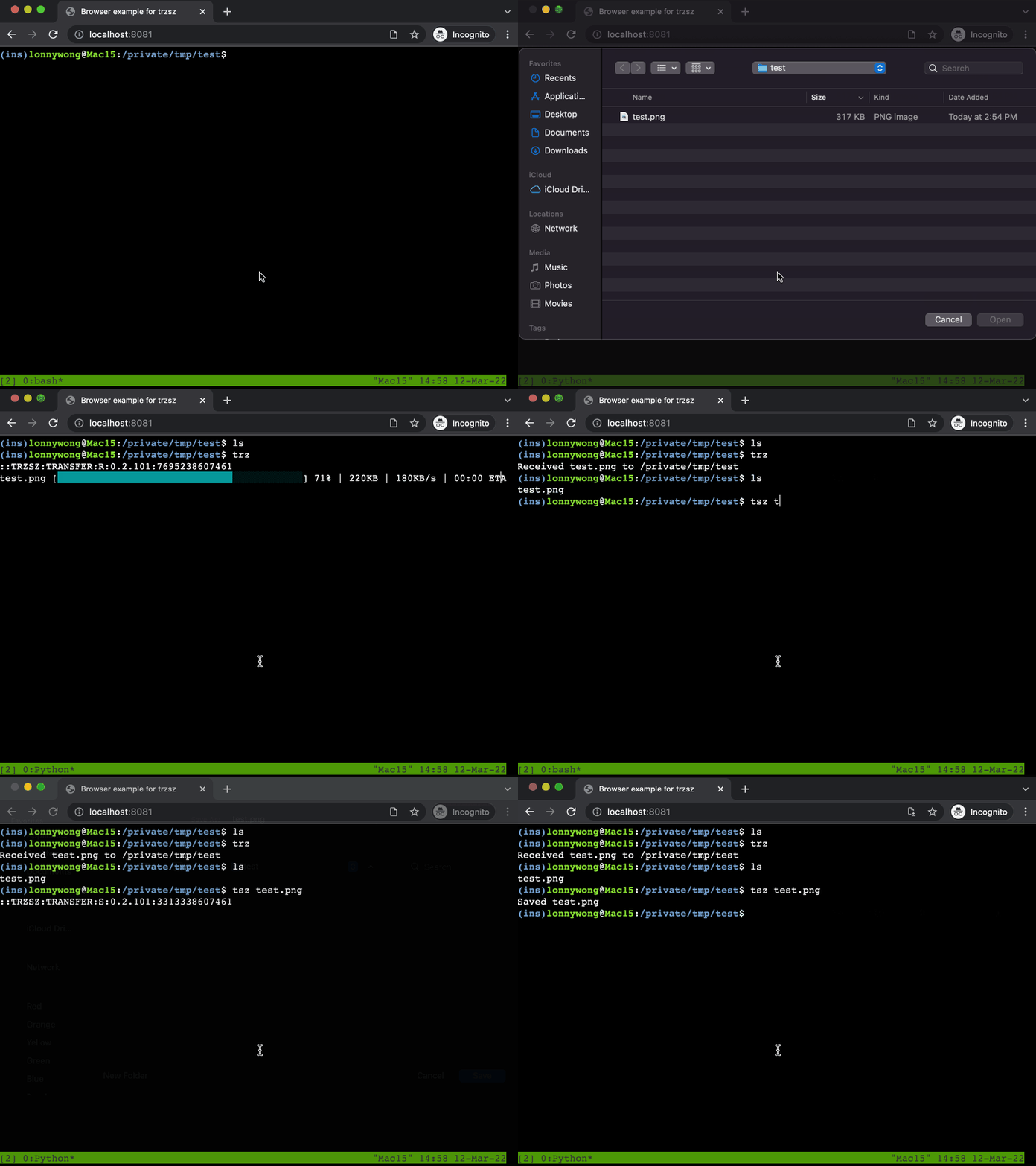
#### upload and download files in web browser
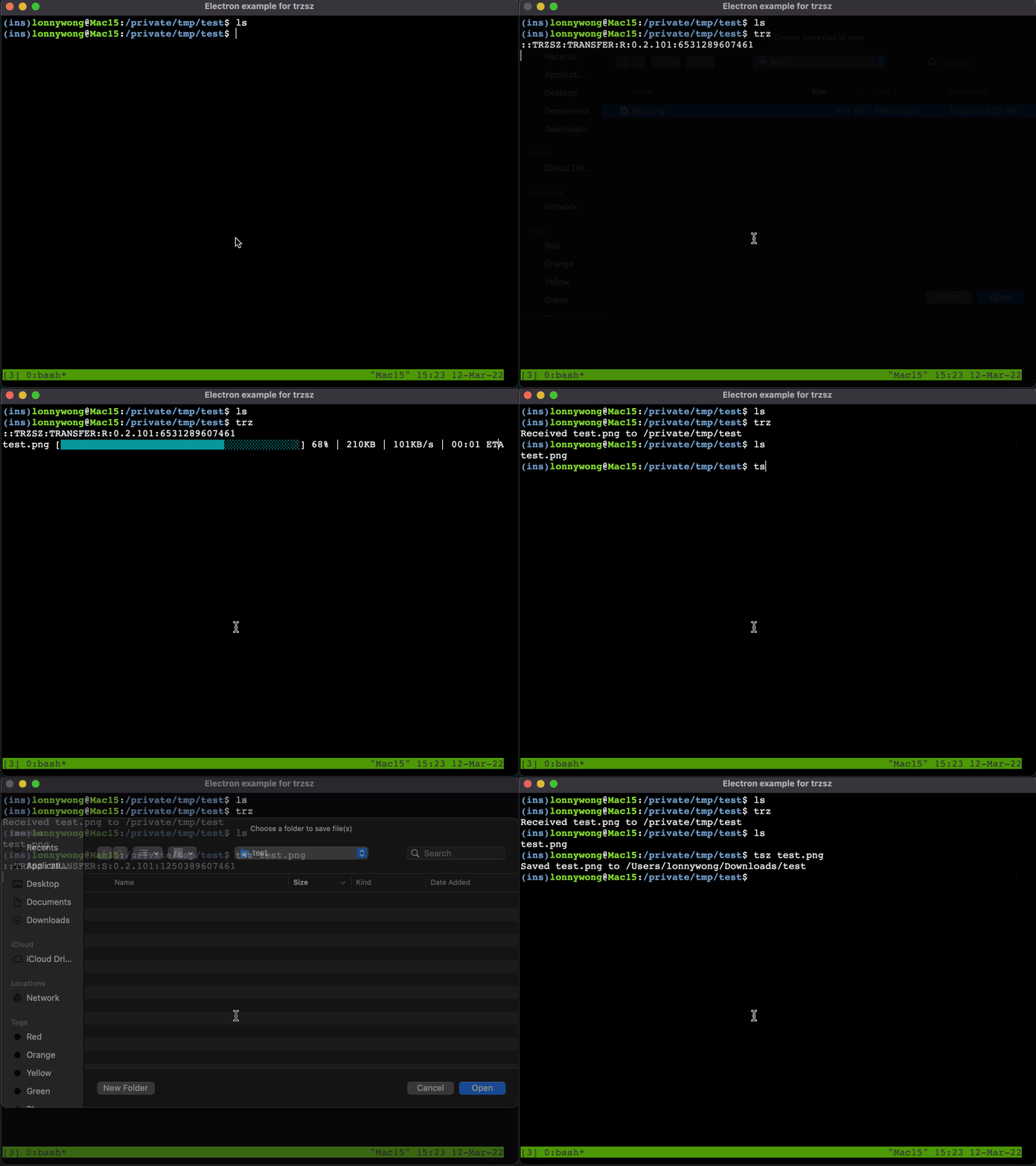
#### upload and download files in electron app
## Contact
Feel free to email me .